

Quantis processes the data. It forecasts sales, detects risks, calculates margins, and classifies products. It does this automatically, in the background, every night.
The problem is that the results of these calculations live in the database — and are only accessible to someone who knows how to query it.
Iris solves this problem. It is the visual layer of the Quantis system — a set of interactive dashboards built in React that turn raw analytical data into views tailored to each user’s role.
The owner sees what an owner wants to see. The salesperson sees what a salesperson needs. The logistician sees their numbers. Everyone — without logging into the ERP, without exporting Excels, and without asking anyone for data.
What is Iris and where it comes from
Iris is a separate system. It is the data visualization interface.
Quantis calculates and stores dozens of indicators for every product, customer, and process in the company in a central database. Sales history, forecasts, inventory levels, ABC classifications, churn risk, promotion results, margins — it’s all there. Iris exposes this data via API and renders it as interactive views in the browser.
No data is stored in the dashboard. Every view refresh is a query to the Quantis API. The data is always as current as the last Quantis analytical cycle.
Architecture in three layers
Comarch ERP Optima

Quantis Core & API

Iris Dashboards
The ERP is the source of raw data. Quantis is the engine that processes and calculates it. The API is the bridge. Iris is the window — through which anyone in the company can view the results without technical knowledge.
Who Iris is for — role-specific views
Iris does not have one universal dashboard. Each role in the company has its own view — built around the questions and decisions that role makes.
Owner and Board
Strategic view. Business health in one place — without digging through departmental reports. Revenue, margin, capital turnover, top customers, top products. Signals that require management decisions. Trends that the ERP would only show in a month, when someone prepares a report.
The owner doesn’t need to log into the ERP. Doesn’t need to ask for a report. They open Iris on a laptop or phone and see the current state of the company.
Sales Manager and Salespeople
Sales view. Customer pipeline, purchase dynamics, churn risk, Next Best Actions recommendations. The salesperson sees their action queue — who to call, what to offer, who is at risk of leaving.
The manager sees the same for the entire team — can compare salespeople’s portfolios, identify the biggest opportunities, and spot worrying signals.
Logistician and Purchasing Department
Operational view. Inventory levels, predicted days until stockout for each SKU, upcoming shortages, open orders, delivery dates. Signals that normally require checking several ERP tabs — all in one screen in Iris.
Controlling and Finance
Financial view. Margins at product and customer level, promotion analysis and impact on profitability, currency exposure, capital rotation. Numbers that the ERP has but require several hours to extract and organize — instantly available in Iris.
What you see on Iris dashboards — example views
Sales and trend analysis
Sales in 30, 90, and 360-day windows — with full dynamics. The tool answers not only “how much was sold”, but above all “is sales accelerating or slowing down” compared to the previous month or the same period last year. Advanced filtering by product, category, contractor, salesperson, or warehouse enables instant data segmentation.
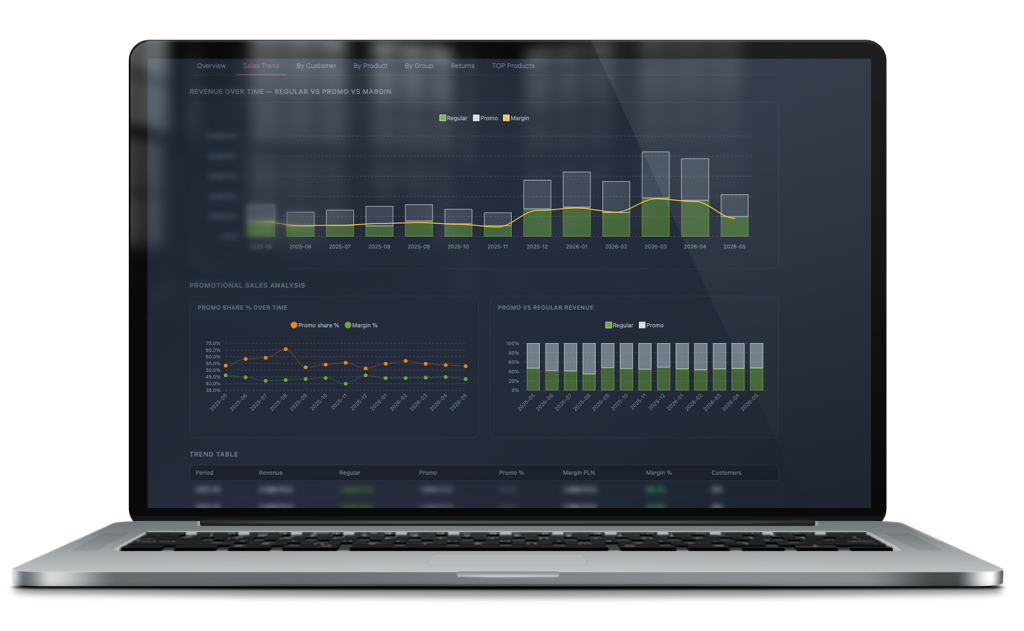
Thanks to Iris’s visual layer, analysis gains a whole new dimension:
Revenue decomposition (Regular vs. Promo vs. Margin): The system overlays regular sales volume, promotional volume, and generated margin value on one chart. This allows immediate assessment of whether a sharp revenue increase (e.g. during seasonal periods) actually translates into real profit or is only the result of costly marketing campaigns.
Promo Share % Over Time: Continuous monitoring of sales structure. The module allows control of so-called “promotion dependency”. Comparing the percentage share of promotions with percentage margin over time protects the business from margin erosion and captures the moment when price reductions stop stimulating profitable demand.
Structural profitability control (Promo vs. Regular Revenue): A clear 100% view of the relationship between regular and promotional base. It gives an immediate insight into business stability and assesses how strong the natural, organic market position of products is without discount support.
Analytical Trend Table: All presented in a clear, precise trend table. It combines hard financial data (Revenue, Margin PLN, Margin %) with operational data (number of unique customers), allowing quick detection of anomalies and purchasing trends on a monthly basis.
Demand forecasting
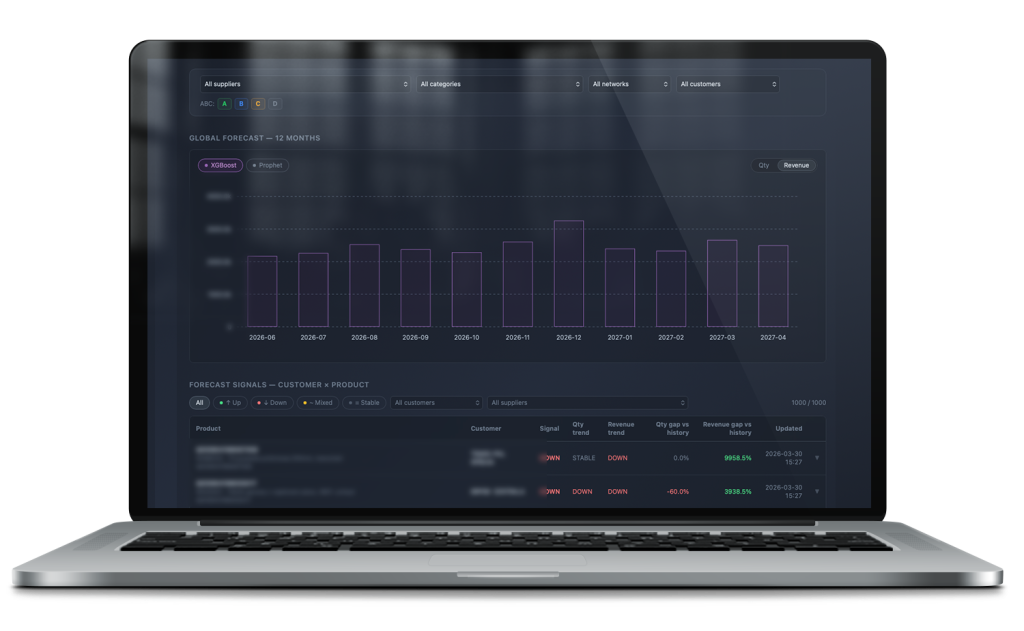
Visualization of ML forecasts generated by Quantis — at SKU level, with confidence intervals. The salesperson or logistician sees not only the forecast but also how certain it is for a given product. Forecast for 12 or 24 months ahead.
Additionally, the system generates intelligent signals about future customer behavior. Algorithms analyze purchasing patterns to proactively alert salespeople to the risk of a customer stopping purchases. This allows the team to respond before the customer actually leaves.
Inventory status and rotation
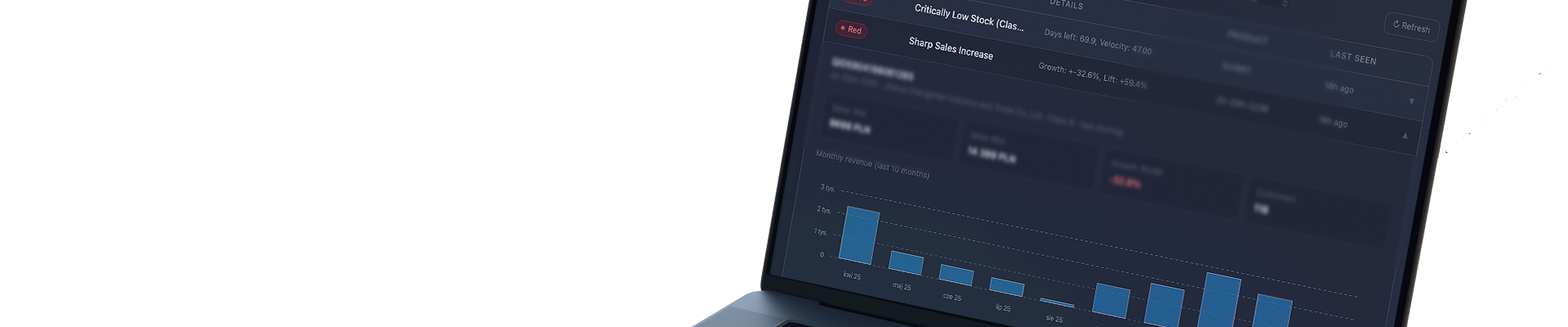
Colorful, intuitive view of the entire assortment — precise information on how much stock is left, how many days it will last, and when it will run out at the current sales pace. Products are automatically color-coded by risk level: green (safe stock), yellow (approaching shortage, time to order), red (critical shortage / out of stock).
Advanced filters allow instant narrowing by supplier, category, warehouse, ABC classification, or movement dynamics (Fast, Normal, Slow, Dead).
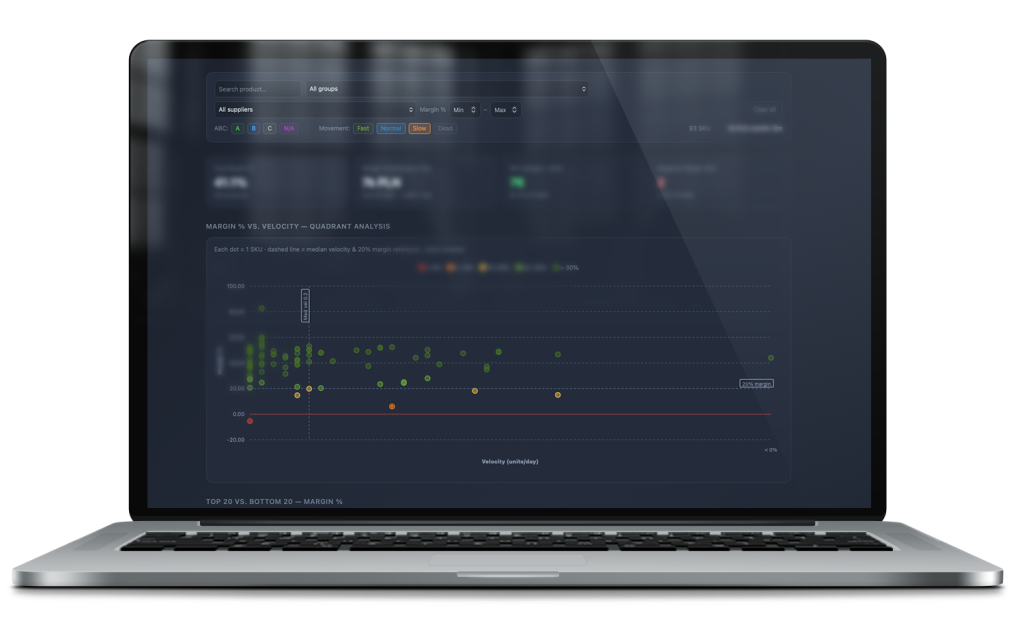
Quadrant analysis (Margin % vs. Velocity): A unique combination of product profitability (margin %) with its rotation speed (units sold per day). Each dot on the chart represents one SKU. It instantly identifies “stars” (high margin, fast rotation) and problematic products that tie up capital with too low a return.
Key assortment KPIs (KPI Cards): The module aggregates the most important metrics of warehouse financial health in real time: average margin for the filtered group, total margin contribution over the last 12 months, and the number of products meeting profitability criteria (e.g. margin above 30%).
Early warning of losses (Negative Margin SKU): Immediate detection of price anomalies and items sold below cost, generating negative margin.
Extremes comparison (Top 20 vs. Bottom 20): Dynamic rankings of products with the highest and lowest profitability. The tool quickly highlights the 20 SKUs that generate the most profit and the 20 worst performers requiring immediate price review or clearance.
Customer and churn dashboard
Customer portfolio with purchase dynamics. Which customers are growing, which are stagnant, which are starting to leave. Risk signals visible immediately — without manually reviewing each account’s history.
A unique feature is analysis of risk not only for the customer as a whole, but broken down by product groups. It detects the moment when a customer starts shifting a specific product category away from the company.
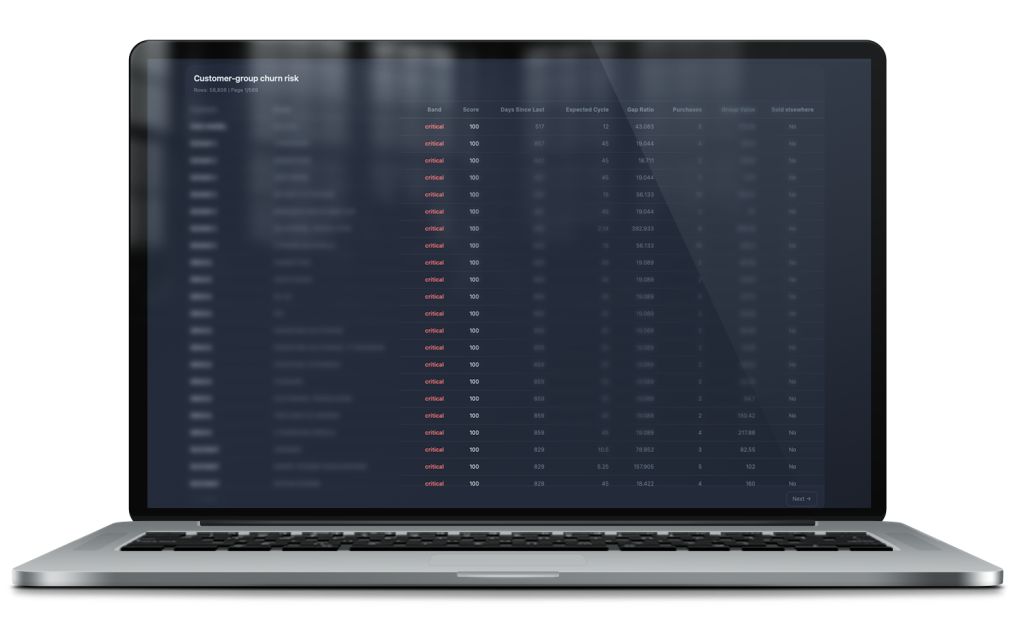
The mathematical algorithm continuously assesses the health of business relationships based on precise variables:
Risk segmentation (Band & Score): Each customer-group relationship receives a dynamic risk score (0–100) and automatic priority classification (e.g. critical). This gives sales teams a ready, sorted list of partners requiring immediate contact (actionable insights).
Mathematical cycle analysis (Days Since Last vs. Expected Cycle): The system learns each customer’s natural purchasing rhythm for a given product group…
Gap Ratio, Purchases & Group Value, and Sold Elsewhere indicators complete the picture.
Promotion and margin analysis
Results of every promotional campaign — real sales uplift (Lift%), impact on margin, cannibalization of other products. A view that answers: was this promotion worth it — and why or why not.
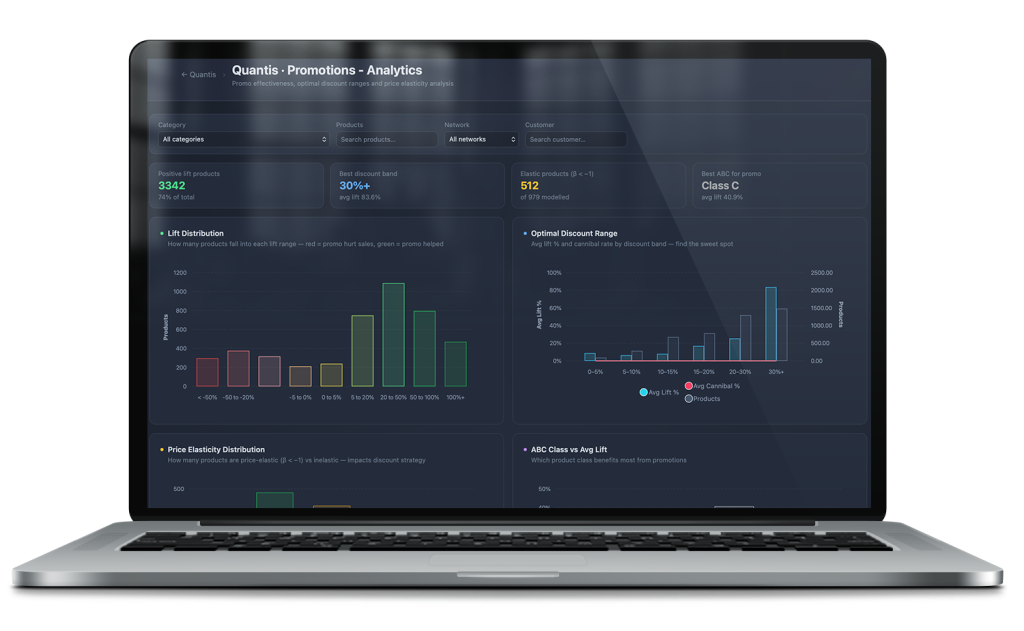
Promotion econometrics and price elasticity analysis
Moving from intuitive discount planning to precise modeling of consumer behavior. The module analyzes how individual SKUs respond to price changes and which promotions genuinely build additional sales volume versus those that only destroy margin and cause cannibalization.
Advanced econometric charts and indicators allow full optimization of pricing strategy (Lift Distribution, Optimal Discount Range, Price Elasticity Distribution, ABC Class vs Avg Lift, Promotion Frequency vs Lift, etc.).
What Iris changes in daily work
The owner stops asking for reports. Data is always available, without asking IT or an assistant. The state of the company on demand — at any time, from any device.
The salesperson doesn’t waste time on preparation. Before a client meeting — one look at the dashboard. Purchase history, dynamics, open recommendations. The conversation starts with context, not from zero.
The logistician reacts before the shelf is empty. Alert signals visible in the dashboard before they become a problem. No need to check stock manually — the system shows what needs attention.
Controlling has numbers without spreadsheets. Margins, rotations, promotion results — available instantly. No exports, no VLOOKUPs, no waiting for someone to prepare a summary.
FAQ
Does Iris work without Quantis?
No. Iris is the interface for the data that Quantis calculates and stores. Without the Quantis central database and its API — there is no data to display. Iris and Quantis are implemented together as one ecosystem.
Does Iris work on a phone?
Yes. Iris is a responsive application — it works in the browser on phones, tablets, and computers. No separate mobile app installation is required.
Does every employee see the same data?
No. Data access is controlled by roles and permissions. A salesperson sees their own customer portfolio. A manager sees their team’s portfolio. The owner sees the entire company. Permissions are defined at the Quantis API configuration level.
Can the dashboards be customized to the company’s branding?
Yes — in terms of layout, selected metrics, and color scheme. Iris is built for a specific company, not as a SaaS template. The scope of customization is agreed upon during implementation.
Does Iris replace Excel reports?
For most daily needs — yes. For one-off analyses and ad-hoc summaries, Excel still makes sense. Iris is not a reporting creation tool — it is for daily monitoring. Reports are generated by a separate module in the ecosystem — Clio.
Does the company need its own programmer to maintain Iris?
No. Iris is delivered and maintained by Origami Effect as part of the Quantis ecosystem. The end user works with the dashboard through a browser — no technical knowledge required. Updates and maintenance are handled by Origami Effect.
What if the company wants to display Quantis data in a different tool than Iris?
The Quantis API is open. If the company uses Power BI, Tableau, Metabase, or another BI tool — it can connect directly to the Quantis API. Iris is the reference implementation built by Origami Effect. It is not the only possible visualization layer.