
LinkField – management of agricultural activities
Recording fieldwork, monitoring budgets and accessing inventory levels in one application for agronomists and tractor operators.
LinkField brings together data on completed work, equipment used, fuel and materials. Agronomists gain a basis for monitoring the costs of individual crops, while operators can record activities and check the information they need without contacting the office.
Delivery · Agriculture · PowerApps
5 areas
Fieldwork, crop budgets, warehouse, fuel prices and plant protection guidelines
2 integrations
FieldSmart and OMS
PowerApps
Application for agronomists and tractor operators
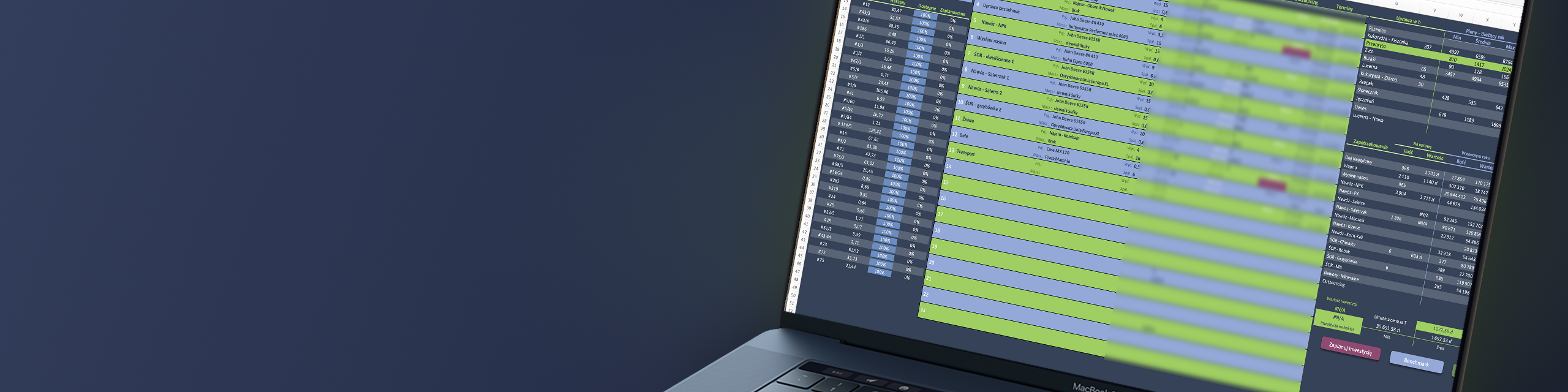
Built on PowerApps, the application synchronizes data with FieldSmart and the OMS system. This allows fieldwork records to support farm analysis and warehouse operations.
Problem
Work records alone are not enough to monitor costs
To assess the cost of work on a specific crop, information about the activity performed, working time, vehicles, machinery, fuel and materials needs to be brought together. Agronomists also need to compare plans with actual results, while operators need access to fuel prices and available resources.
LinkField brings these areas together in one application. Recording activities provides data for analysis, while synchronization with FieldSmart and OMS makes it possible to use that data in farm management.
Without shared access
Information needed for decisions has to be pieced together
Data on work, budgets and inventory do not provide a complete picture when analyzed separately. Checking crop costs requires linking completed activities to resource usage, while finding out the fuel price may require contacting the office.
With LinkField
Fieldwork linked to costs and resources
Operators record activities along with the equipment used, while agronomists track crop budget execution. In the same application, users can check fuel prices, inventory levels and information about plant protection products.
Solution architecture
From completed activity to management information
LinkField · recording and data access
The PowerApps application lets users assign an activity to a crop, record the date and working time, and specify the vehicle and machinery used. It also provides crop budgets, inventory levels, fuel prices and a search tool for the Ministry’s guidelines on plant protection products.
FieldSmart · agricultural data analysis
Synchronization with FieldSmart by Origami Effect makes it possible to use data from work records for broader farm analysis and to make decisions about crops.
OMS · inventory and documents
Integration with OMS — Invoice Records and Warehouse Management provides access to current inventory levels. Users can generate a resource issue from the application, and the corresponding accounting documents are created automatically.
Modules and features
Five areas of daily work in one application
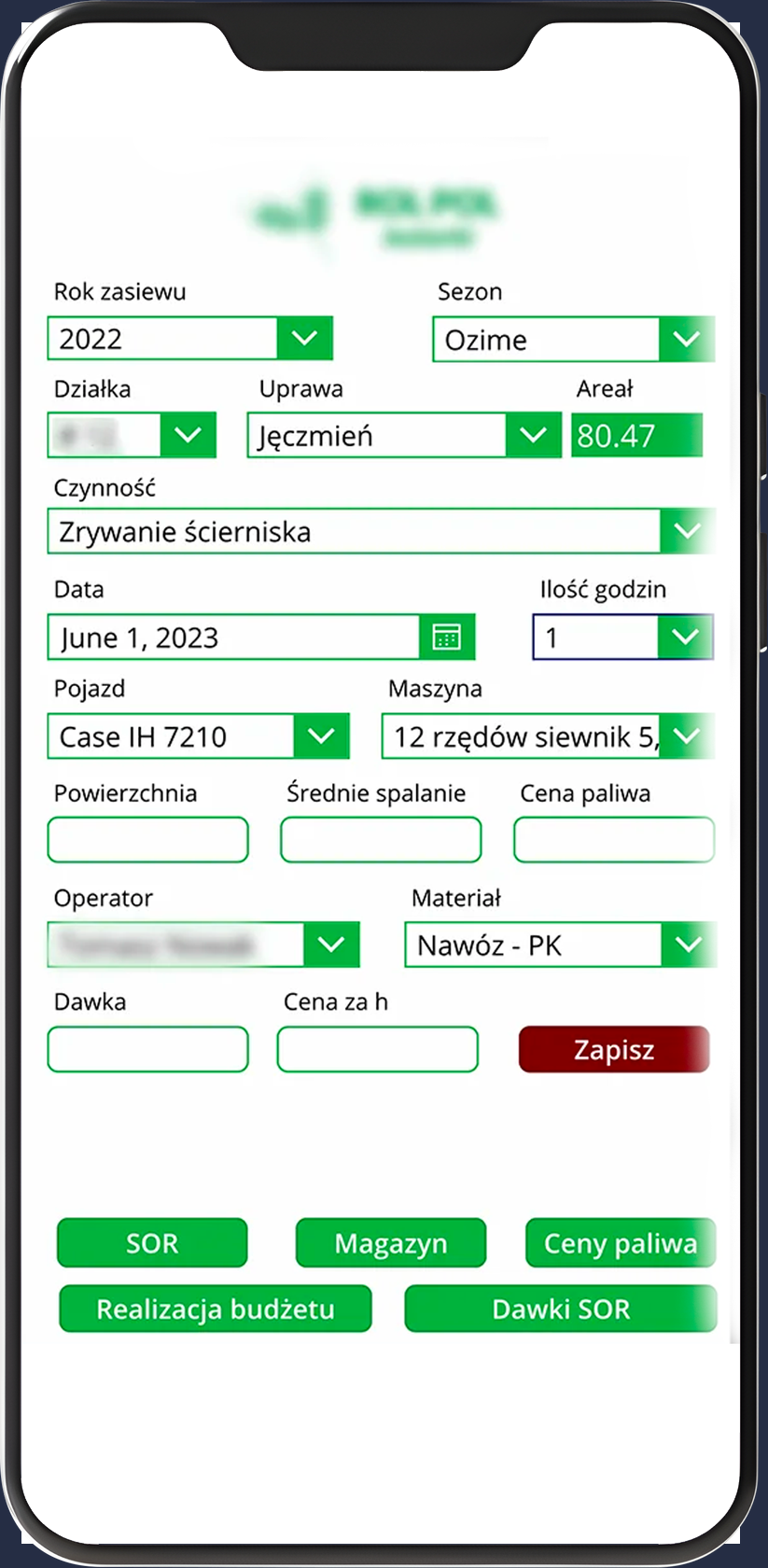
Fieldwork recording · know what was done and with what equipment
Each activity can be assigned to a specific crop by selecting the sowing year, season and field. Recording the date, working time, vehicle and machinery used makes it possible to track completed work and analyze equipment usage.
The application also automatically records average fuel consumption, area worked and the current fuel price. This data provides a basis for analyzing activity costs, and synchronization with FieldSmart makes it possible to use it in broader agricultural data analysis.
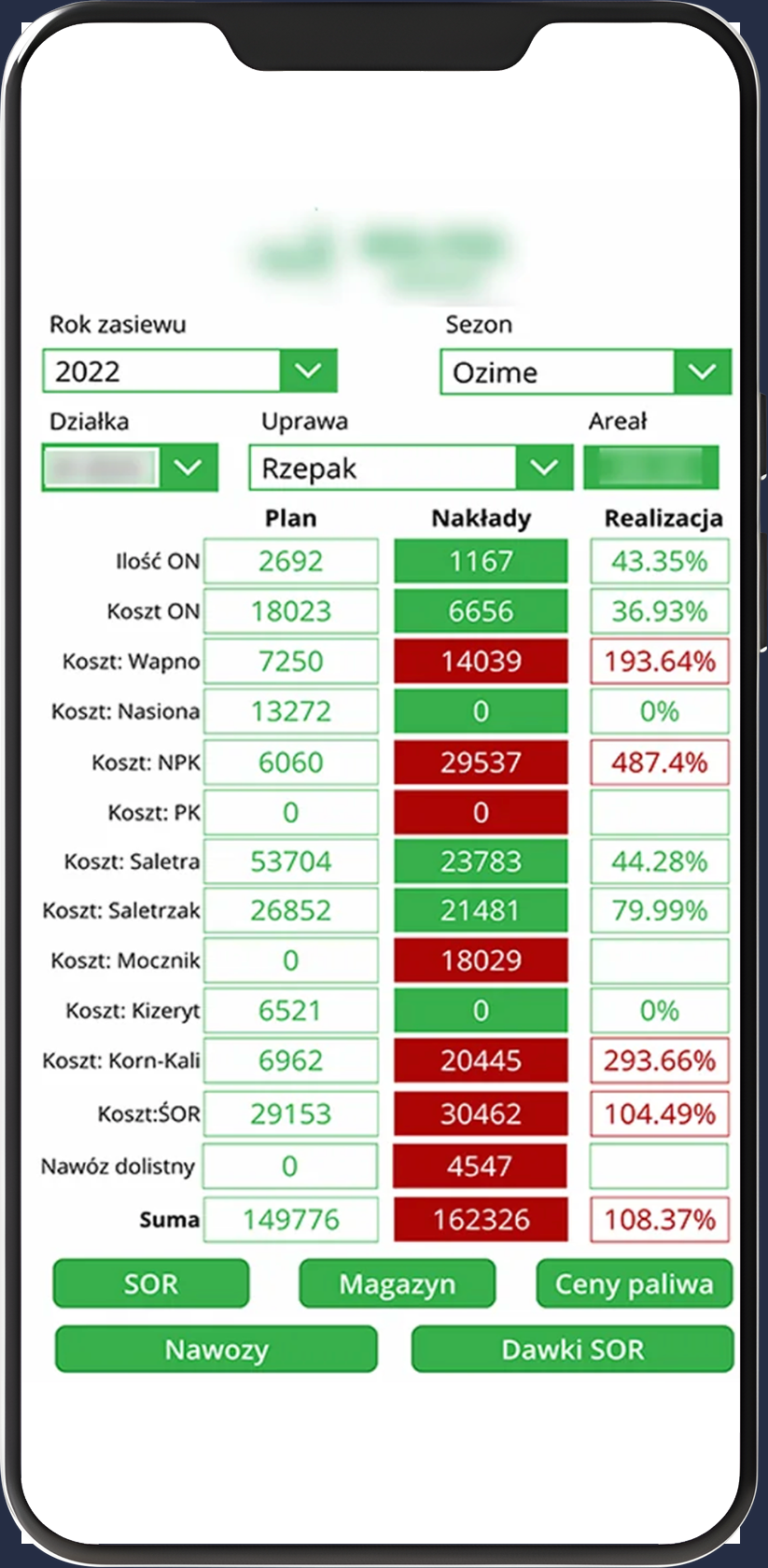
Crop budgets · plan compared with actual results
Agronomists can enter the planned amount of diesel fuel for a given crop and track progress against that plan. Recording expenditure on lime, fertilizers and sprays makes it possible to monitor material costs assigned to the crop.
The budget progress view and reporting features make it easier to compare the plan with actual fuel consumption and expenditure. This provides a basis for assessing budget efficiency and deciding how to use resources going forward.
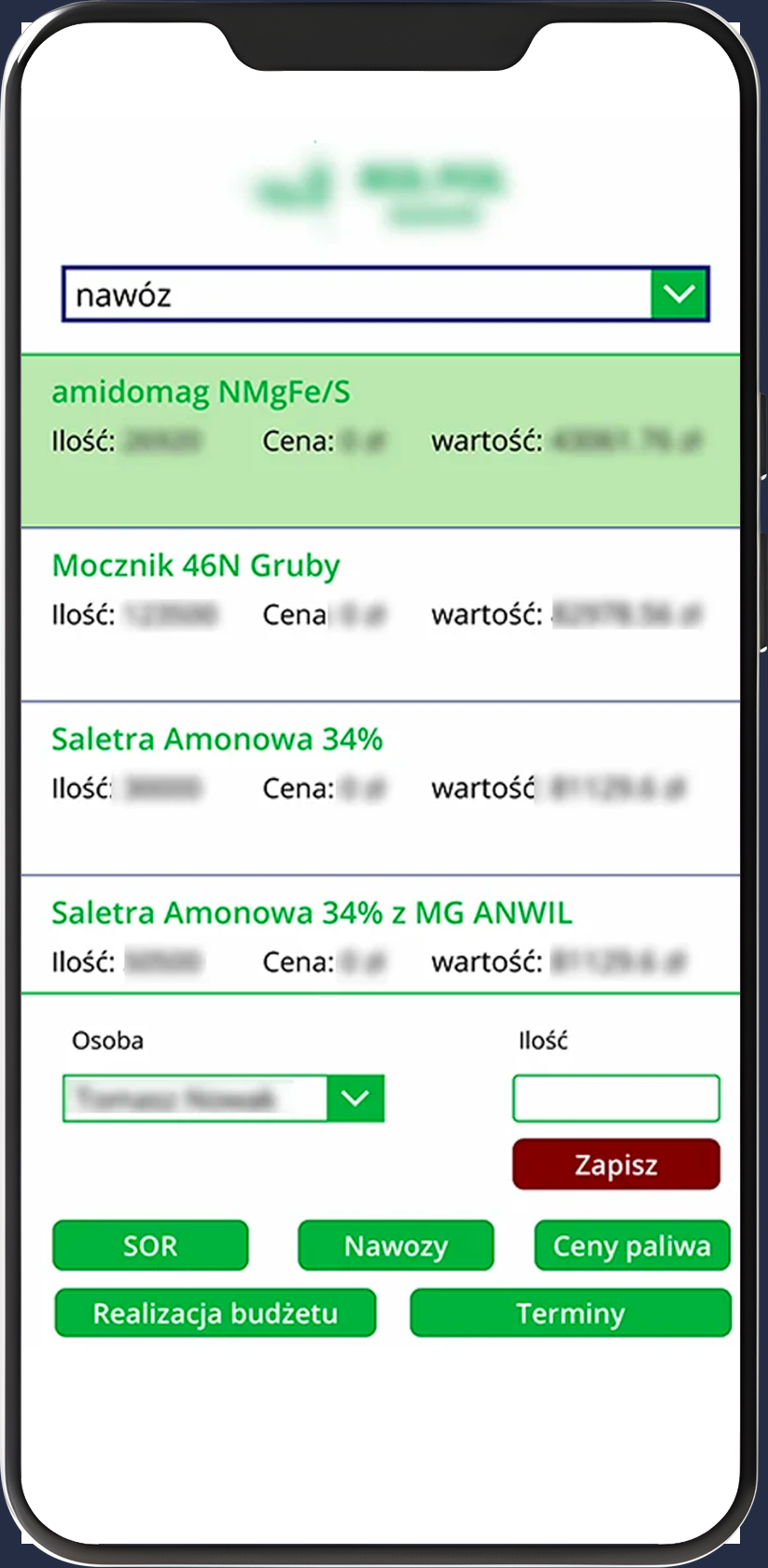
Warehouse · resource availability and issues directly in the application
Synchronization with OMS provides access to current inventory levels. Filtering by main categories helps users find the resources they need and check their availability.
Users can select materials and quantities, then generate a warehouse issue transaction directly in LinkField. Automatic creation of the corresponding accounting documents streamlines transaction recording and the monitoring of issued resources.
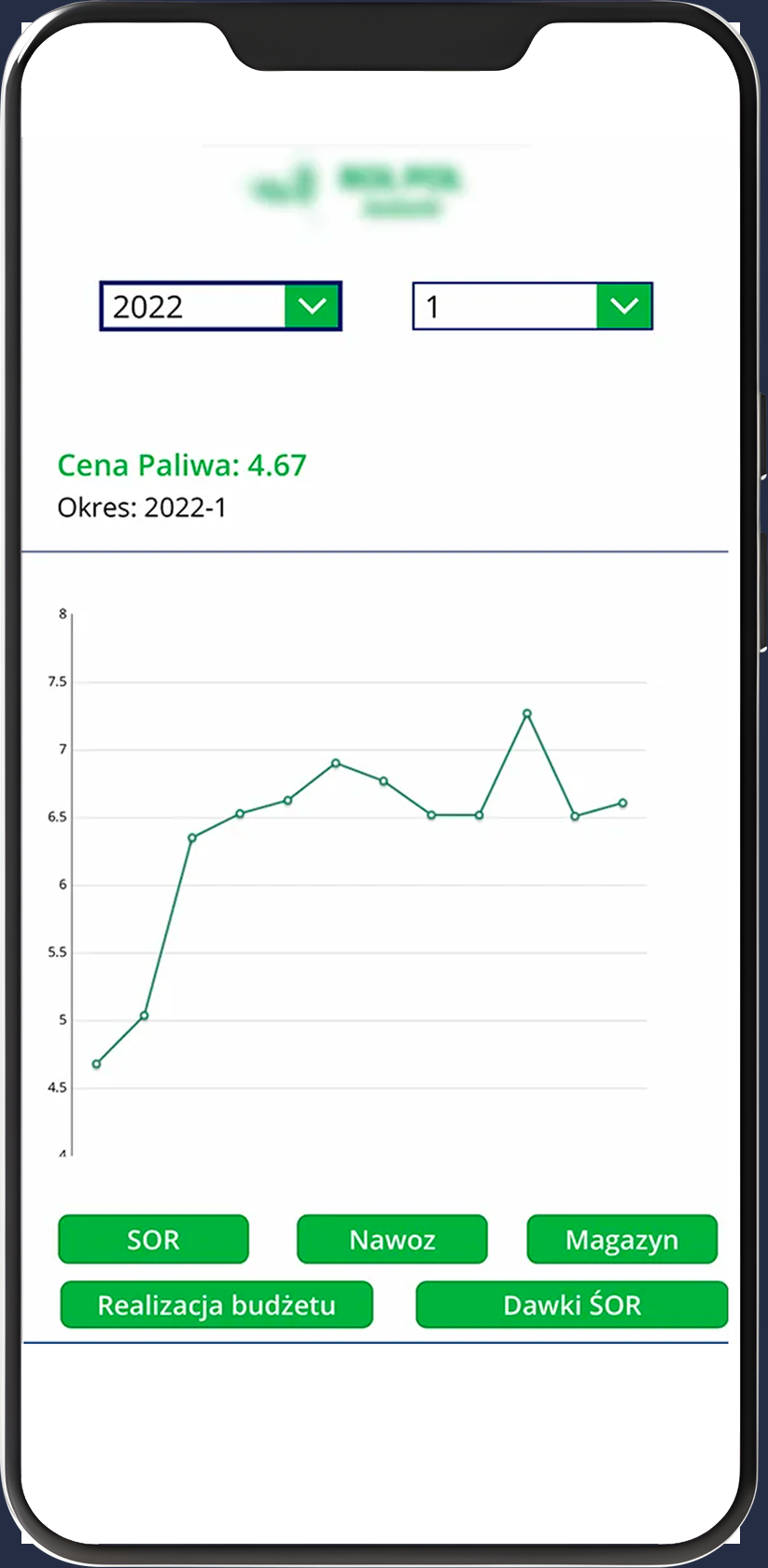
Fuel prices · current data without calling the office
Operators can access the current prices at which the company buys fuel. They can also enter updated prices directly in the application without contacting the office.
A trend chart shows how prices change over time. This makes it easier to track fuel costs and factor them into work planning and farm cost management.
Plant protection products · guidelines close at hand
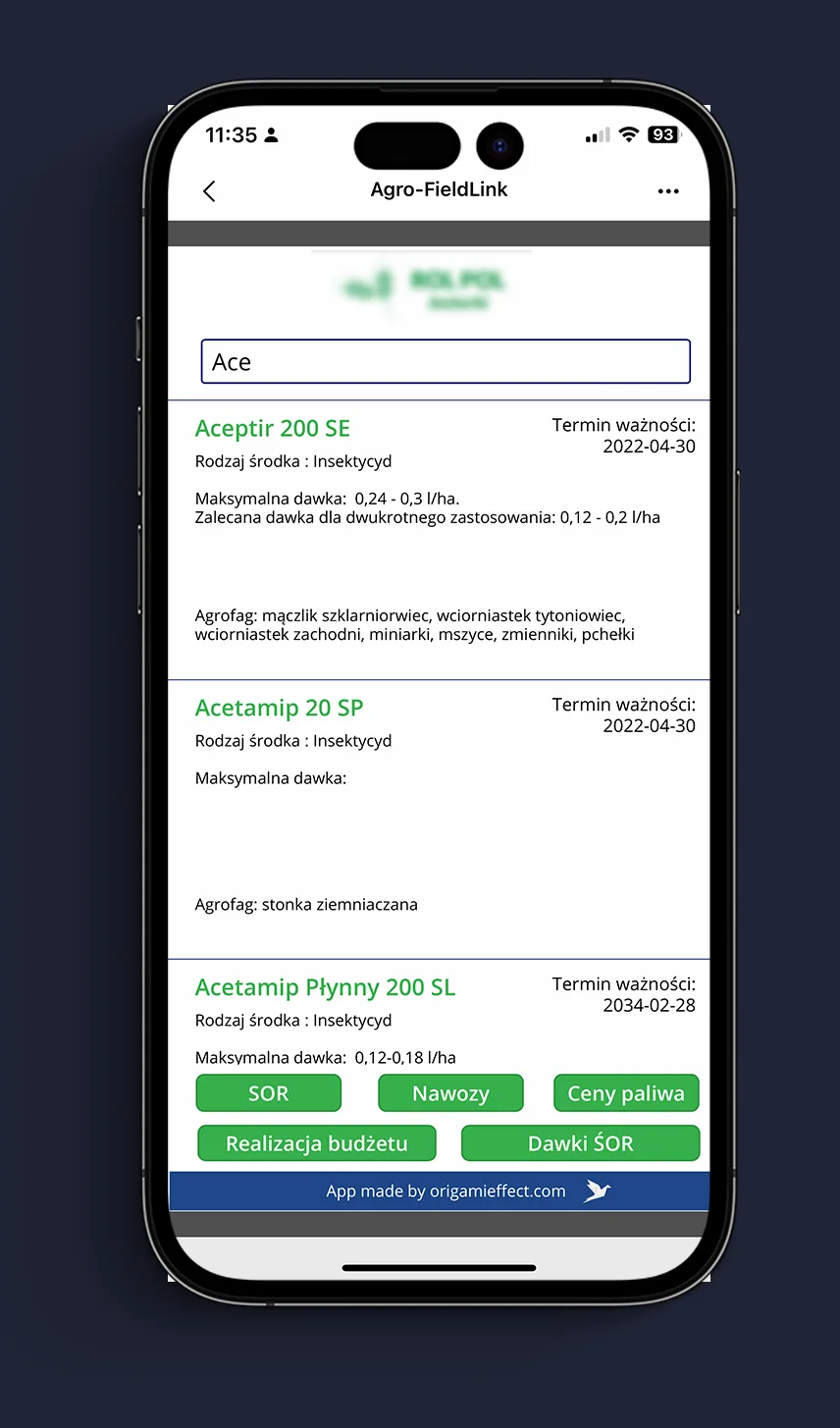
The built-in search tool gives agronomists quick access to the Ministry’s guidelines on plant protection products. It can be used to check maximum application rates, recommended spraying methods and pests.
Searching and browsing current information makes it easier to verify recommendations for a specific product and supports decisions that take applicable regulations into account.
Benefits of the solution
Greater control over work, costs and resources
A clear record of work for every crop
Assigning activities to a crop, date and equipment used makes it possible to see what was completed and how long it took. Agronomists gain detailed records for further analysis.
A basis for optimizing equipment use
Data on vehicles, machinery, working time and area worked helps users analyze resource usage and identify areas that need improvement.
Monitoring budget execution
Comparing planned and actual fuel consumption and material expenditure helps assess the costs of individual crops and make budget decisions.
More efficient warehouse operations
Current inventory levels, resource filtering and issues available in the application make it easier to manage materials. Automatic accounting documents reduce manual record-keeping.
Greater operator independence
Access to fuel prices and the ability to update them in the application reduce the need to contact the office and help avoid delays in updating data.
Easier verification of plant protection recommendations
The search tool helps agronomists find information about application rates, spraying methods and pests needed when planning treatments.
Want to link fieldwork with cost control?
Origami Effect helps you use data on crops, equipment and materials to manage your farm day to day — from the initial idea to application implementation.