

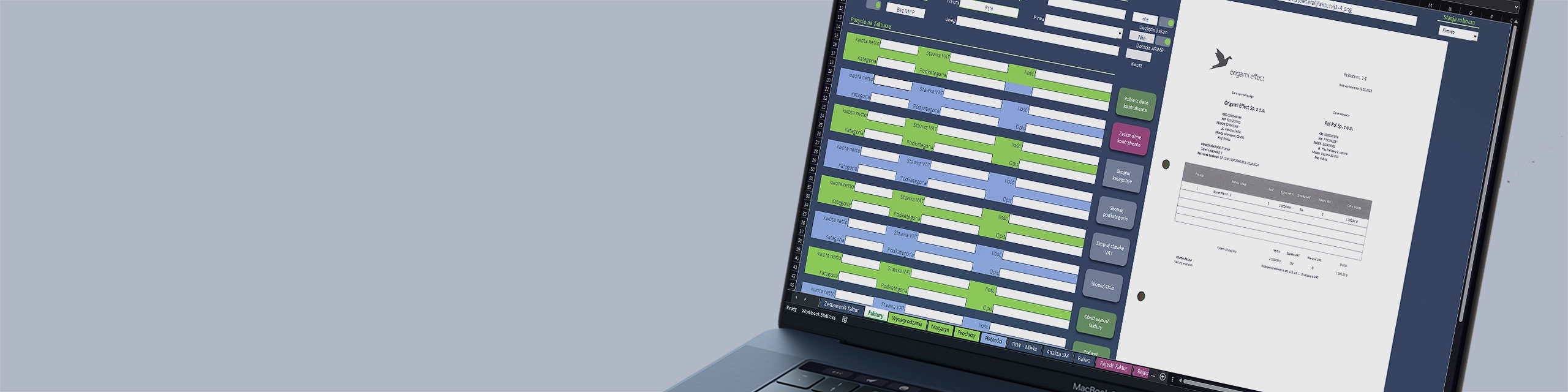
Invoice Recording – Order in Documents, Full Cost Control
In the OMS system, invoice recording is not just document archiving — it is the foundation of cost management in the company. Every item on the invoice is described by a person who knows the operational context of the purchase – and that is precisely why it is a human, not an automaton who makes the decision on how to allocate the cost.
Why? Because only a human knows:
- whether a given invoice concerns the repair of a specific vehicle, an investment, the warehouse, or several departments at once,
- whether the purchase should be immediately charged as a cost or added to inventory,
- whether a given item should be allocated to plant production, livestock production, or a special project.
This is a financial and managerial decision, which an automaton should not make without context. That is why in OMS automation does not replace the human – it supports them.
What does automation do?
-
automatically creates complete cost reports (by department, machine, project, month),
-
transforms data into the format required by controlling and Oilhub / MFO,
-
prepares the invoice for flawless transfer to accounting — with description, allocation, and archiving.
What do you gain?
- Reliable cost data immediately after entering the invoice,
- Automatic reports for managers, without additional work,
- Full control over where the money goes – with clear allocation of every penny,
- Lightning-fast process: human decides → system reports and forwards.
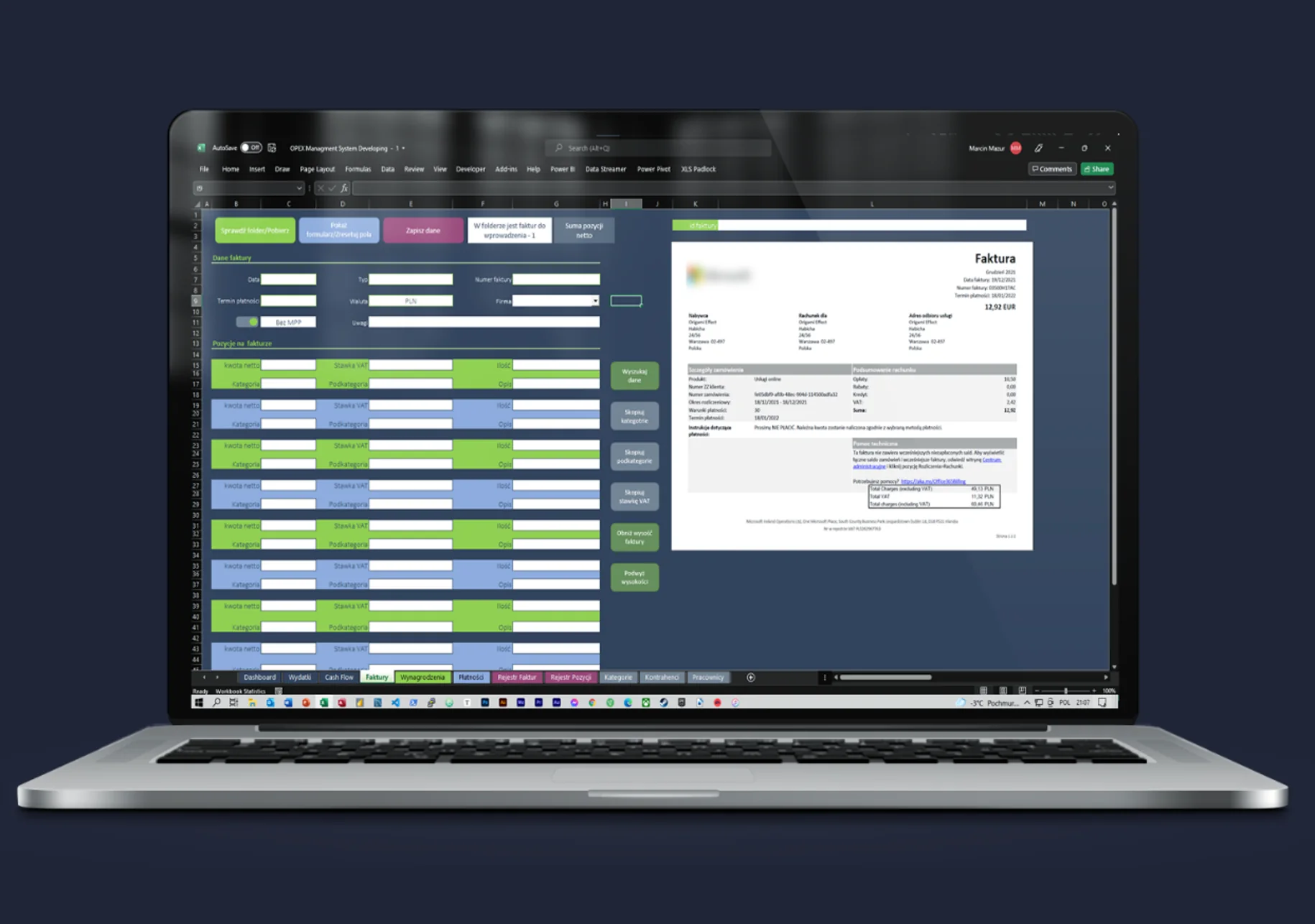
OMS – Invoice Module
Core tasks of the application for collecting data from invoices:
- downloading and displaying the invoice
- assigning invoice items to appropriate categories and subcategories
- entering additional parameters such as quantity, VAT, etc.
after entering the data, the application saves and places the invoice in a dedicated folder - auto-completion functions for recurring data
Benefits of the Invoice Module
- Speed and efficiency: The Invoice module allows for quick and effective data entry from invoices, resulting in time savings and increased work efficiency.
- Full control: The Invoice module provides complete control over the invoicing process, from data entry into the system to sending to accounting.
- Cost tracking: Thanks to the ability to categorize and subcategorize products or services, the Invoice module enables cost tracking across different segments of the enterprise.
- Increased financial control: Through automatic integration with the accounting system, the Invoice module increases financial control over the company.
- Increased financial awareness: OMS calculates tax values such as VAT.
- Integration with the warehouse module: The Invoice module is integrated with the warehouse module, allowing automatic generation of accounting documents related to warehouse transactions.
OMS – Warehouse and Data Visualizations
- at the moment of saving the invoice, the transaction register is automatically updated
- automatically creates and places a Goods Received Note (PZ) along with the invoice
- stock level visualizations are created automatically
- monitoring of purchase prices of goods and their consumption
- digitization of document circulation
- all reports available “on demand”
The Warehouse Module in OMS provides many benefits for the company, including:
- Inventory control: With the warehouse module, you can easily track the quantities of individual products in stock. This helps avoid situations where a product is missing or the warehouse is filled with unnecessary items.
- Warehouse transaction management: The warehouse module allows for managing warehouse transactions such as goods receipts and issues. This enables tracking of product movement and avoids errors in quantities or types of goods.
- Automation of accounting processes: The OMS warehouse module enables automatic generation of accounting documents related to warehouse transactions, such as goods receipt and issue documents. This allows accounting to easily and quickly record warehouse movements.
- Optimization of purchasing processes: The warehouse module enables tracking of stock levels and transaction history, allowing for better purchase planning. This helps avoid ordering excessive quantities of products that would sit unused in the warehouse.
- Shorter customer service time: With the warehouse module, customer service staff can easily check the stock level of a given product, enabling faster and more efficient customer service.
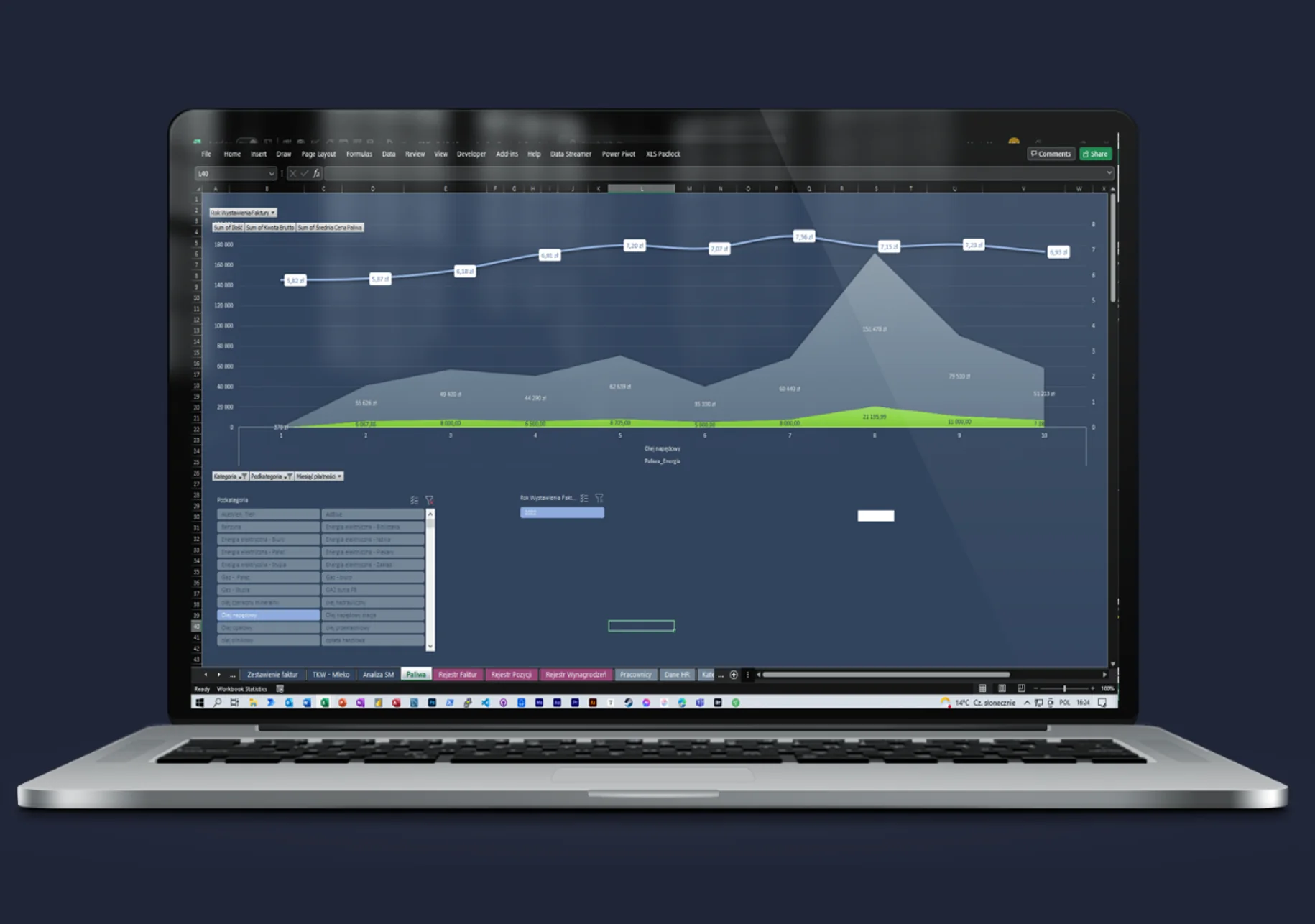
OMS – Sample Expense Visualization
Expense visualization in OMS is a very useful tool for analyzing and monitoring company expenses. It allows you to quickly see how much money has been spent on a specific category or subcategory, such as diesel fuel in the example provided.
You can track which categories require more attention and cost control, and which are being spent optimally. This enables quick and accurate business decisions to optimize expenses and increase company profits.
OMS – Sample Cost Breakdown by Specific Category
In the attached example, you can see the cost categorization for each machine in the machinery fleet in OMS. The “Spare Parts” category was selected as one of the cost categories and assigned to individual vehicles. This allows simple tracking of spare parts costs for each machine and comparison between them. Within the “Spare Parts” category, you can also create subcategories, e.g. for specific types of parts or suppliers. Such detailed categorization enables better cost control and more rational decisions regarding purchases and use of spare parts.
OMS – Payroll Module
Core functionalities for handling company payroll
- payroll calculator
- payroll history
- auto-completion of values with the ability to change parameters
- salaries
- assigning salary values to specific departments and projects
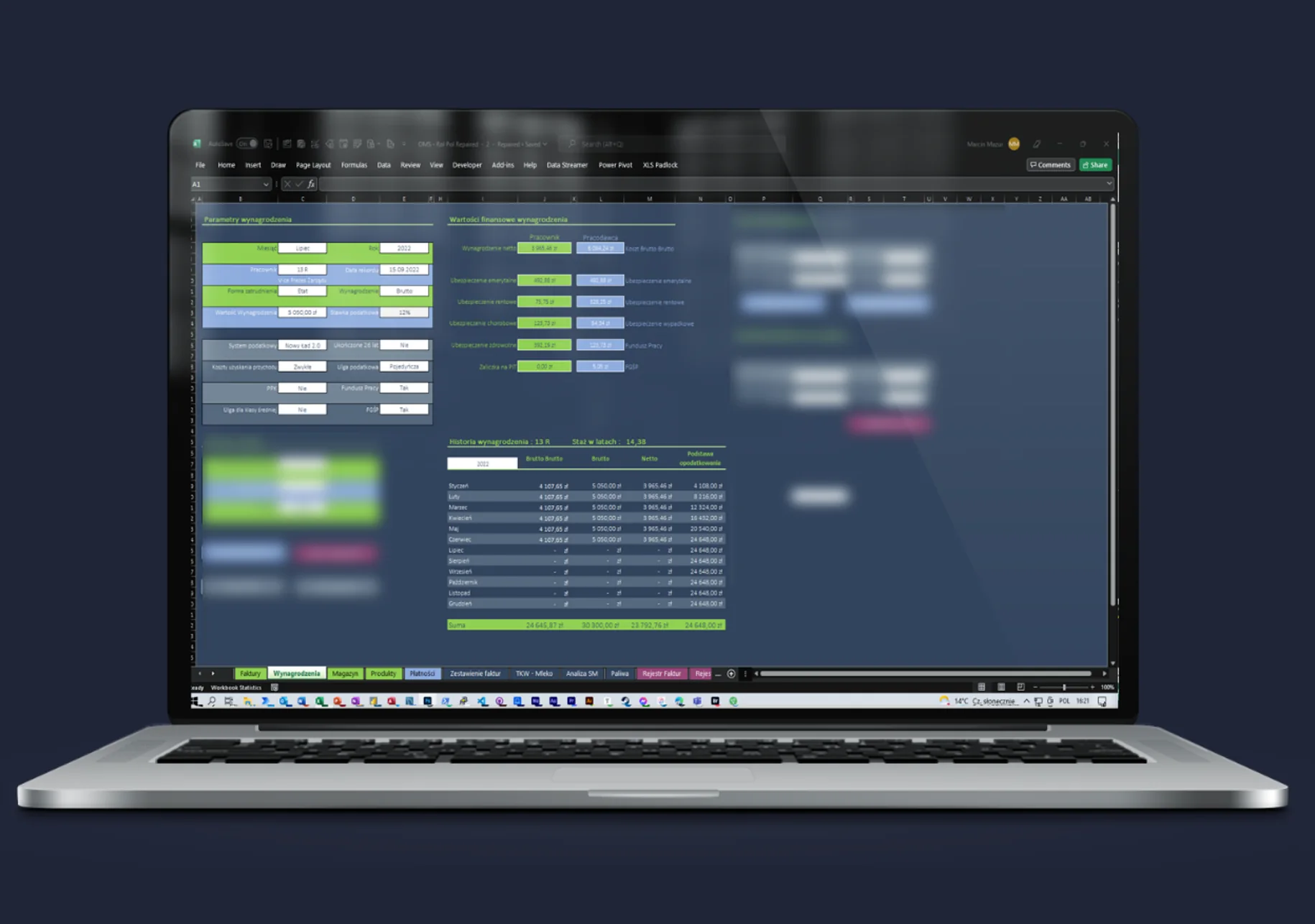
- Payroll calculator – enables easy and quick calculation of employee remuneration based on specified parameters such as hourly rate, hours worked, allowances, contributions, etc.
- Payroll history – allows storing and easily browsing the payment history for each employee, making it easier to manage payroll documentation.
- Auto-completion of values – allows automatic filling of remuneration values based on previously defined parameters. The user can also make manual changes if needed.
- Assigning salary values – enables allocation of payroll costs to specific departments or projects, allowing precise tracking of costs across different areas of the company.
Benefits of recording invoices using OMS include:
- Process improvement: OMS allows automation of processes related to invoice and payroll recording, which speeds up and streamlines the work of employees and the entire company.
- Error elimination: With OMS, errors in the invoice and payroll recording process can be avoided, resulting in time and cost savings for the company.
- Easier cost control: With OMS, you can easily and quickly check how much the company spends on invoices and payroll. This allows better cost control and optimization.
- Ease of document browsing: OMS enables easy and quick browsing of documents related to invoices and payroll, making employees’ work easier and increasing overall company efficiency.
- Improved data accuracy: OMS guarantees accurate and up-to-date data on invoices and payroll, allowing for quick business decisions and forecasting of future company costs.
- Automation of report generation: OMS enables automatic generation of reports on invoices and payroll, allowing better understanding of costs and profits and more accurate business decisions.
OMS – Additional Modules and Functionalities
The Payments module in OMS is used to manage payments and generate bank files with transfer data. It allows easy organization of payment processes such as invoices, salary payments, purchases, etc. This module enables keeping a payment register, including issuing transfers, printing payment confirmations, and payment reporting for various purposes, e.g. for tax purposes.
The Fixed Assets Register module in OMS is used to maintain the company’s fixed assets register. This module allows adding and removing assets, as well as editing and categorizing them. It enables maintaining an accurate register of fixed assets to track value, depreciation, and inspection dates. Thanks to this module, correct and precise company accounting can be ensured and company assets can be managed more effectively.
Need someone who instantly understands the problem — and knows what to do with it?
Most companies have data. What’s missing is the idea of what to do with it — and someone who will actually execute it. Origami Effect delivers both.