

FAQ
Does Iris replace existing BI tools (Power BI, Tableau)?
Iris and tools like Power BI solve different problems. Power BI is a general-purpose tool designed for self-configuration by the user from ready-made elements. Iris is a tailor-made visual layer — every view is built for a specific system, specific role, and specific decision-making questions. Iris does not have a “drag and drop” interface — it has exactly the views your company needs and no unnecessary ones.
Does Iris require replacing the existing ERP or system?
No. Iris connects to the data you already have. The ERP remains the recording system. Iris becomes the visual layer that turns that data into a picture accessible without logging into the ERP.
How long does implementation take?
Implementation time depends on the complexity of data sources and the number of views. Iris does not require changing operational processes — it extends them with a visual layer. The first version of the dashboard is usually ready within a few weeks from the start of cooperation.
Does Iris work on a phone?
Yes. Iris is built in React with a responsive layout. It works identically on a phone, tablet, and boardroom monitor — without a dedicated mobile app, through the browser.
Are the data in Iris secure?
Iris runs on the client’s infrastructure or on a dedicated cloud environment with per-user access control. Data never leaves the client’s environment — Iris is a visual layer, not a

Interactive Visual Layer for Your Data in React
Iris was born from an observation that repeated itself in every industry, every company, and every project. The data exists. It always does. It sits in databases, in ERPs, in Excel spreadsheets, in financial models, in operational systems.
The people who should see it — don’t see it. Not because the data is missing. But because there is no layer that turns it into a clear picture.
Iris is that layer.
An interactive visual layer in React that connects to any data source and turns it into real-time dashboards — without exports, without refreshing files, without waiting for reports. One interface. Multiple systems.
The problem Iris solves
Every organization at a certain stage of maturity hits the same wall. There is a lot of data. There are many systems. But the right information does not reach the right person at the right time.
What reality looks like without Iris
Results from the financial model sit in an analyst’s Excel file. Inventory status is in the ERP. Sales are in the salesperson’s spreadsheet. Cash flow is in a file sent by email two weeks ago.
Management wants to know how the company is doing. Now. Not at the end of the month when someone finishes “clicking together” a report.
Each department delivers data in a different format, on a different scale, and at a different time. Trying to compare them feels like assembling a puzzle from three different boxes.
The most important information travels in email attachments and PDFs that cannot be filtered, enlarged, or verified. The report lands on the desk showing a situation from several days ago. You run the company by looking in the rear-view mirror — not through the windshield.
You see an anomaly on a chart but cannot click the number to check where it comes from. You have to ask the analyst for another report. And wait.
What Iris changes
Instead of decision paralysis — one unified view of data from all systems in one place.
Instead of manual distribution — a dashboard that is always available to everyone who needs it. No attachments, no PDFs, no Slack messages.
Instead of the rear-view mirror — data updates automatically. You see what is happening now — not a week ago.
Instead of waiting for an analyst — you click a number and drill down yourself. Drill-down, filters, export — everything within one click.
Architecture — how Iris connects to your data
API-First — Iris talks to any system
Iris is not another BI tool that requires data migration or infrastructure replacement. It connects to what you already have — via API, direct SQL access to the database, or through an intermediary layer (Clio) that aggregates data from multiple sources at once.
MySQL, PostgreSQL, MongoDB, REST API, Excel — Iris is not picky about input format. It is demanding when it comes to the quality of the output image.
Clio — central data aggregator
Clio is the intermediary layer of the Origami Effect ecosystem. It collects data from specialized financial and operational models (Excels, industry systems, ERP), processes it, and exposes it through standardized API. Iris pulls data from Clio and turns it into views.
This solution is particularly useful when data is scattered across multiple places — Clio cleans it up, Iris shows the result.
React — why not PDF, not PowerPoint, not another spreadsheet? Iris answers questions. Data in Iris refreshes automatically, with no expiration date. It works on every device: phone, tablet, laptop, boardroom monitor — the same view, the same interactivity.
You click a number and see what it consists of. You filter by district, product, department, year. You drill down from general to specific without another report. Everyone sees what they need — not one report for everyone.
What Iris does with data — the visual layer
Iris is not a dashboard template. Every view is designed for a specific system, a specific role, and the specific decision-making questions that view is meant to answer.
Interactive charts and statistical analysis
Scatter plots, violin charts with KDE, histograms, CDFs, bubble charts, multidimensional line trends, stacked charts — Iris uses the full spectrum of modern visualization libraries. Every chart is interactive: tooltips, zoom, click filtering, drill-down to record level.
Maps and geospatial data
When data has a spatial dimension — Iris displays it on a map. Geo Revenue Map, density heatmaps, points with color and size encoding for additional data dimensions. Technology: Deck.gl, CARTO, OpenStreetMap.
Operational tables with business logic
Not every piece of information is a chart. Iris also builds interactive tables with sorting, filtering, conditional coloring, and export — powered by live data, not static exports.
Real-time scorecards and KPIs
Management views: key indicators with dynamics (vs. plan, vs. previous period), colored deviation signals, plan vs. performance vs. delta comparisons — all updated automatically with every change in the source data.
Historical snapshots and trend analysis
Iris can remember the state of data at defined moments and allow comparison of “today” with any point in the past. Switch snapshots with one click — all charts update instantly.
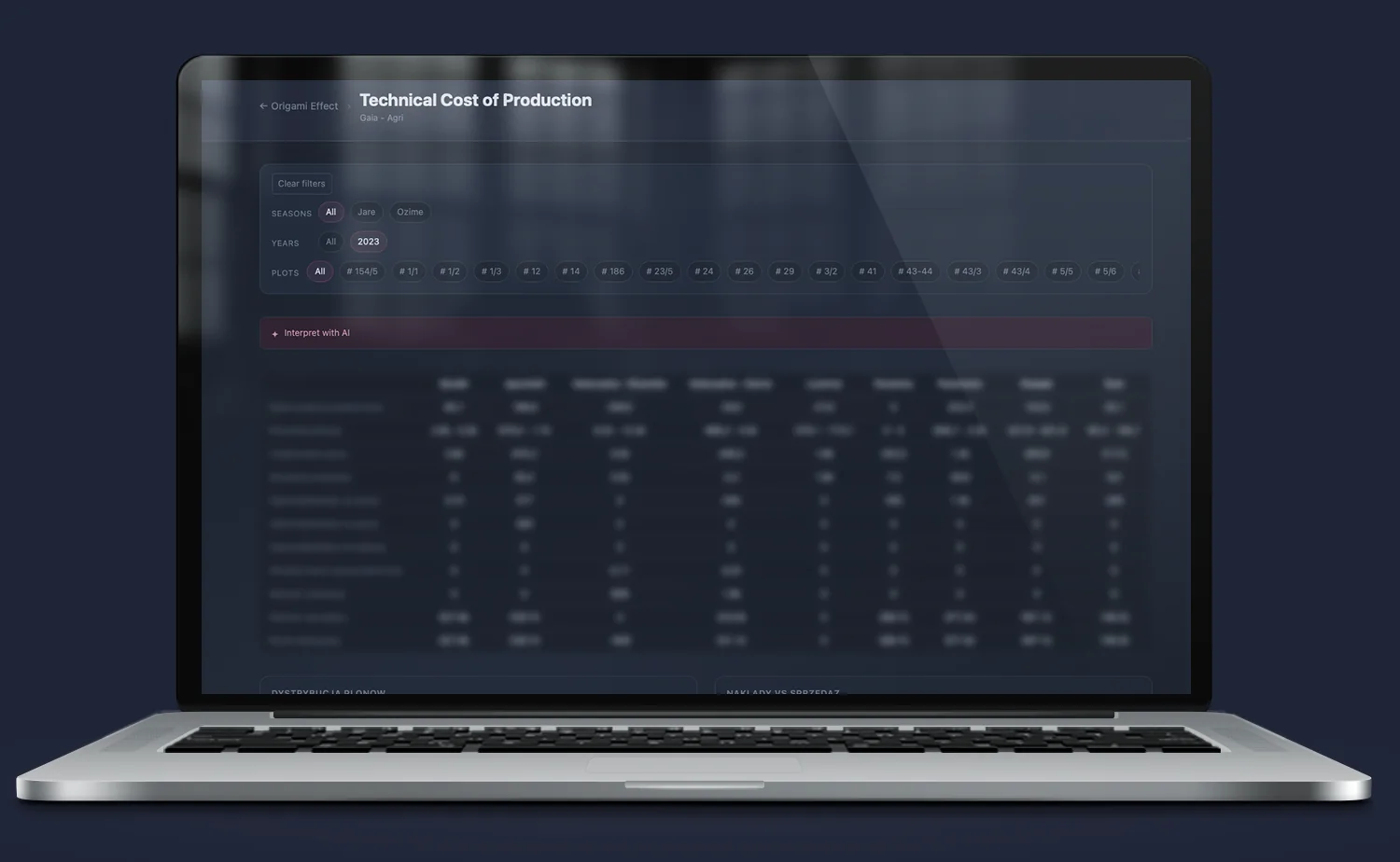
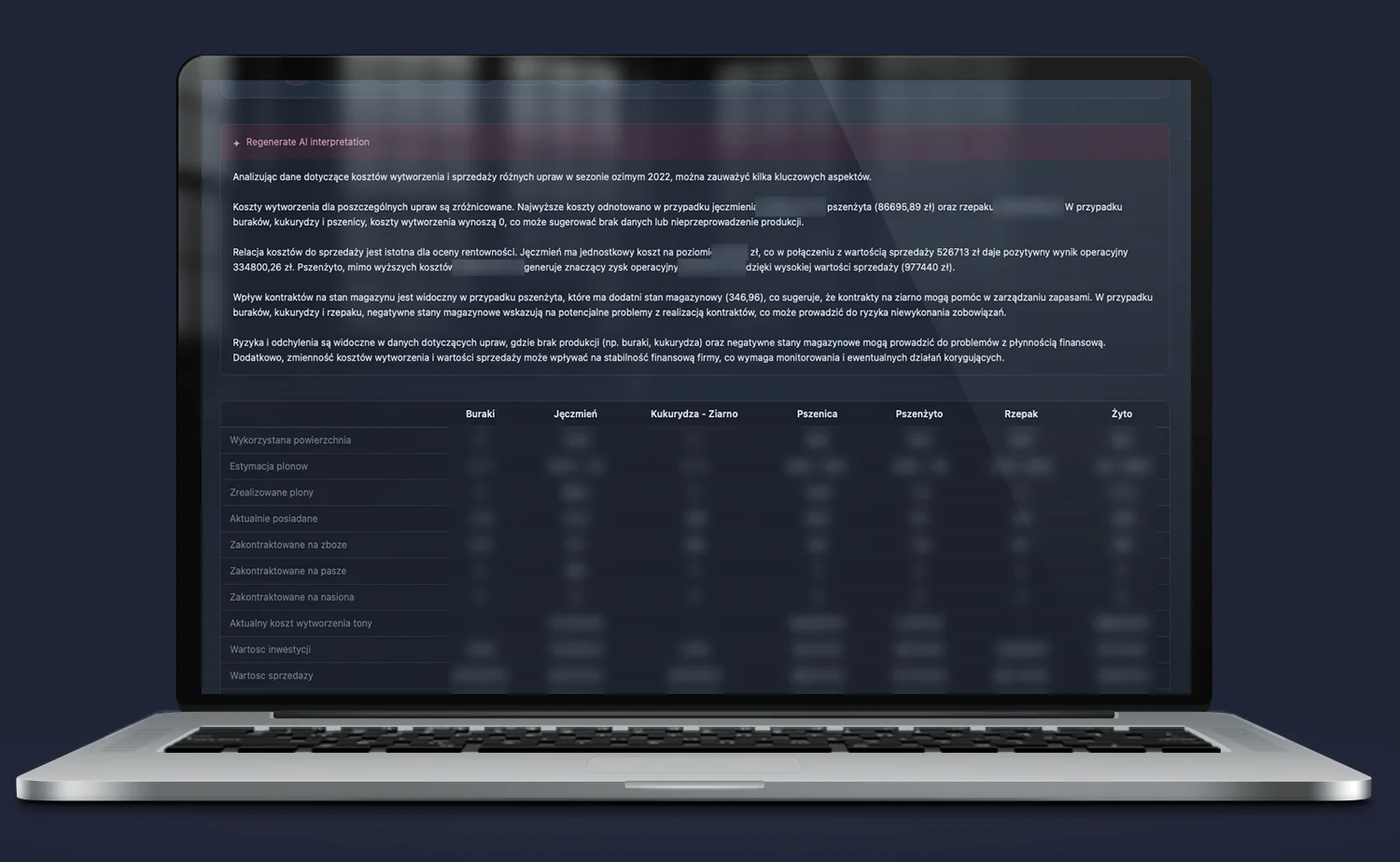
Iris and AI — a chart that tells you what it means. A chart without context is just a shape on the screen.
Iris has a built-in AI layer that does not replace the analyst — it complements them. For every view, there is an option for AI interpretation. The system analyzes the data it currently sees — not general industry knowledge — and formulates a comment in natural language.
It explains what you see — instead of just a chart, you get a comment that tells you what the chart means in the context of your business.
It highlights anomalies — the system notices deviations that are easy to miss in a sea of numbers and draws attention to them before they become a problem.
It answers questions — you ask in natural language, Iris responds based on the data it has. Not based on the internet — based on your data.
It regenerates the interpretation on demand — after every data update or filter change, you can ask AI for a new analysis. The interpretation is generated automatically, without involving an analyst.
Origami Effect Dashboard Ecosystem
Iris is the visual layer. Data is supplied by specialized analytical systems built by Origami Effect for specific industries and processes.
Quantis — import and distribution companies
Central analytical-predictive system for import companies. ML demand forecasting (XGBoost + Facebook Prophet), dynamic ABC classification, operational alerts, promotion and price elasticity analysis. Iris visualizes Quantis data as sales, warehouse, forecasting, and operational dashboards for each department separately.
→ Learn more about Iris · Quantis
Themis — real estate market
Analytical model of the real estate market. Aggregates offers, price per m², area data, and short-term rental data (AirROI). Iris visualizes it as an interactive dashboard with violin charts, CDF, scatter plots, geo revenue maps, and historical market snapshots. A tool for investors, funds, and family offices.
→ Learn more about Iris · Themis
Demeter, Hebe, Gaia — agricultural farm
The most advanced financial-operational model for an agricultural farm — built in Excel, feeding Clio. Iris turns it into an interactive controlling dashboard: milk production, feed demand, herd, costs, loans. Each area in a separate tab, each year separately or all together, hide zeros with one click.
→ Learn more about Iris · Demeter
Artemis — investment projects
Advanced financial model for investment projects — DCF, CapEx, revenue structure, P&L, balance sheet, cash flow. Iris turns it into an interactive dashboard with scenarios (A, B, C, D, E, Baseline) switchable with one click. Excel calculates. Iris shows. Management sees the result the moment the analyst approves the forecast.
→ Learn more about Iris · Artemis
Metis and more
The Origami Effect ecosystem is growing. Every system that produces data — custom, industry-specific, or operational — can get its own view in Iris.
Implementation effects — what changes in practice
- No more on-demand reporting. Information exists all the time — not only when someone manages to prepare it. Management stops waiting. The analyst stops being a bottleneck.
- Decisions made on current data. Not on what someone managed to prepare — on what is actually happening in the company right now.
- One view instead of many files. Instead of puzzles from three different boxes — one screen that combines data from all systems.
- Everyone sees what they need. The owner sees the result. The salesperson sees their portfolio. The logistician sees orders. One system, multiple roles, each with the right view.
- Less time on preparation, more on interpretation. When data is not unified, people waste 80% of their time preparing visualizations and only 20% interpreting them. Iris reverses these proportions.
Who stands behind Iris
Iris is a tool designed by someone who understands business from the inside — with experience in investment project execution on the fund side, building analytical systems for companies from very different industries: from importers managing thousands of SKUs, through agricultural farms calculating the cost of a liter of milk, to currency exchange platforms overseeing 15,000 transactions and development projects.
This experience gives something no tool can replace — the ability to ask the right question before starting to build. What is really worth reporting? Which data influences decisions and which only clutters the screen? How to build a system that serves the leader — not just the analyst?
Implementing Iris is not software installation. It is jointly designing how data in your company should work — and building a system that makes it happen.
FAQ
Does Iris replace existing BI tools (Power BI, Tableau)?
Iris and tools like Power BI solve different problems. Power BI is a general-purpose tool designed for self-configuration by the user from ready-made elements. Iris is a tailor-made visual layer — every view is built for a specific system, specific role, and specific decision-making questions. Iris does not have a “drag and drop” interface — it has exactly the views your company needs and no unnecessary ones.
Does Iris require replacing the existing ERP or system?
No. Iris connects to the data you already have. The ERP remains the recording system. Iris becomes the visual layer that turns that data into a picture accessible without logging into the ERP.
How long does implementation take?
Implementation time depends on the complexity of data sources and the number of views. Iris does not require changing operational processes — it extends them with a visual layer. The first version of the dashboard is usually ready within a few weeks from the start of cooperation.
Does Iris work on a phone?
Yes. Iris is built in React with a responsive layout. It works identically on a phone, tablet, and boardroom monitor — without a dedicated mobile app, through the browser.
Are the data in Iris secure?
Iris runs on the client’s infrastructure or on a dedicated cloud environment with per-user access control. Data never leaves the client’s environment — Iris is a visual layer, not a
Złożone struktury w prostych kształtach