

How to quickly identify the most valuable customers?
Email segmentation and precise marketing campaigns
Project completed in 2016
Project goal
Building a tool for creating effective marketing campaigns based on real user data from the website database. The system was supposed to enable instant segmentation of email addresses and their use in advertising platforms such as Facebook Custom Audiences, Google Ads or Mailchimp.
Challenge
The project was created around 2015, when most companies did not yet have access to advanced BI or CDP (Customer Data Platform) systems, and marketing automation tools were expensive and inflexible. As a result, many companies operated “blindly”, without segmentation, relying solely on general email campaigns.
Modern marketing campaigns, however, require not only mass mailing, but above all precise targeting. Too generic communication means wasted budget and low conversion.
The problem was also the size and complexity of the database – over 15 GB of data and over 100 tables in a relational MySQL database, containing both declarative data and data integrated from external sources (e.g. Facebook accounts, PSN, Xbox).
A tool was needed that would:
- allow quick creation of targeted audience groups,
- pull data directly from MySQL to Excel,
- enable personalization of marketing communication,
- support exporting ready-made databases to advertising tools,
- work without the need to purchase expensive SaaS licenses.
Solution
A BI system was created in Excel using Power Pivot and DAX, which connected to previously prepared and optimized SQL views.
Features:
- Fetching and updating data directly from the MySQL database
- User segmentation
- Creating marketing lists for selected channels
Results
Reducing campaign creation time from hours to minutes
Increased campaign effectiveness – thanks to better message matching, Open Rate and CTR increased
Ability to dynamically respond to changes – e.g. preparing a campaign for a specific age group or platform in just a few clicks
Ready export of data to advertising platforms without the need to involve the IT department
The system did not require SaaS subscriptions – it was independent, efficient, and 100% owned by the client
Available data segmentation using Excel slicers:
- user age
- platform (PlayStation, Xbox, PC)
- email address and domain
- place of residence
- bank identifier marking
- connections with social media accounts (Facebook, PSN, Xbox Live)
- year the account was created
- Campaign generator exporting data to:
- Mailchimp (email campaigns)
- Facebook Custom Audiences (remarketing)
- Google Ads Custom Audience (audience segmentation).
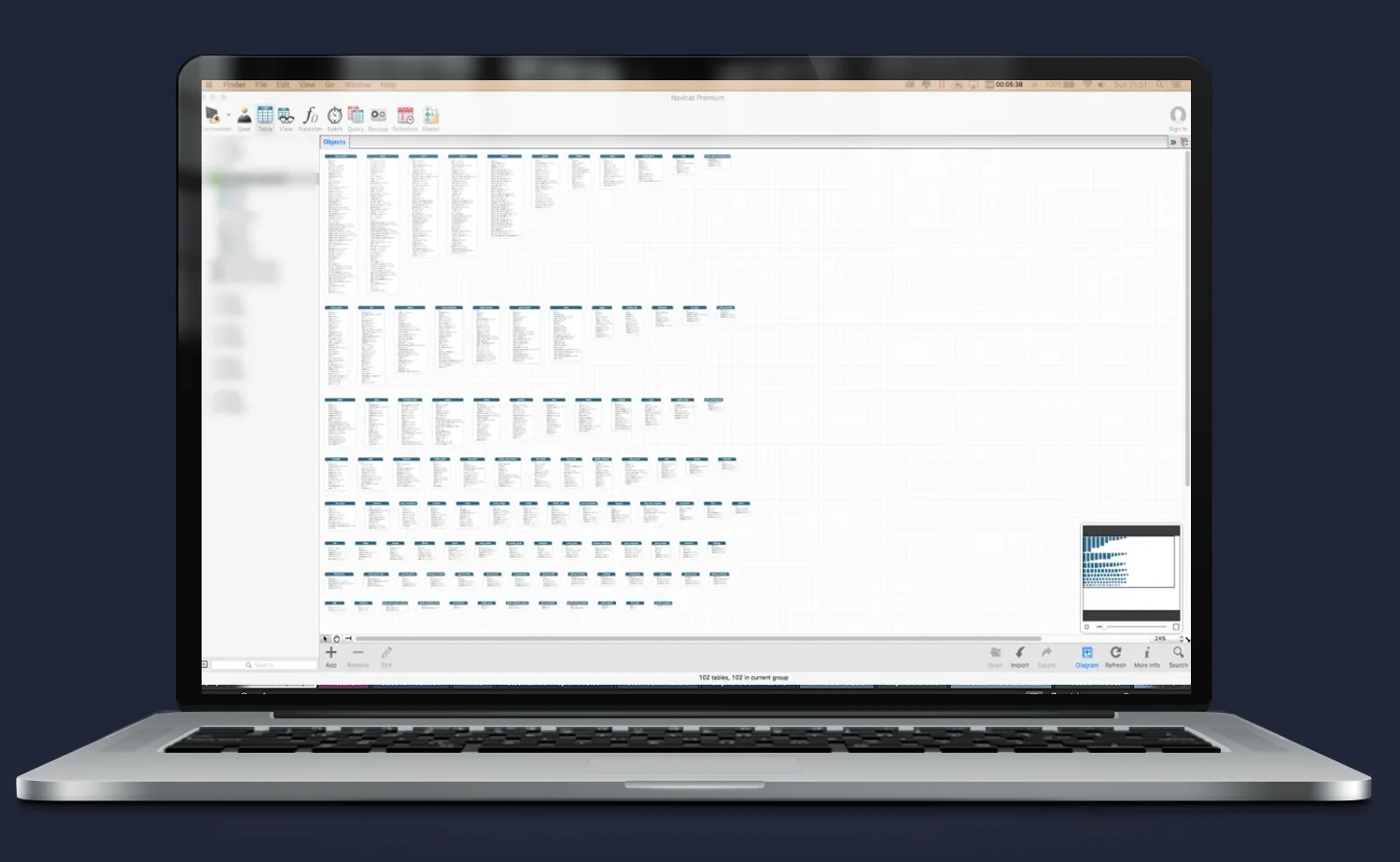
View of the portal’s relational database
The screenshot above shows the data model view of the internet portal imported into Power Pivot.
The database contained over 100 tables and was approximately 15 GB in size, which required:
- analysis of dependencies between tables,
- identification of key columns for segmentation and targeting,
Data mapping and preparation
To achieve full model functionality:
- columns were mapped from different tables into coherent entities (e.g. users, accounts, activity, segments),
- input data was filtered to avoid duplication and logical errors,
- database views were created in MySQL, optimized for Power Pivot queries,
- which shortened loading time and enabled work on live data.
Result
Thanks to the proper preparation of the structure:
- the data model could be refreshed directly from Excel,
- the end user did not need to know the database structure or SQL – they had ready tables and segments for analytical and campaign work,
- the whole thing formed a solid foundation for further dashboards and analyses, including in subsequent BI modules.
DAX formulas in Power Pivot
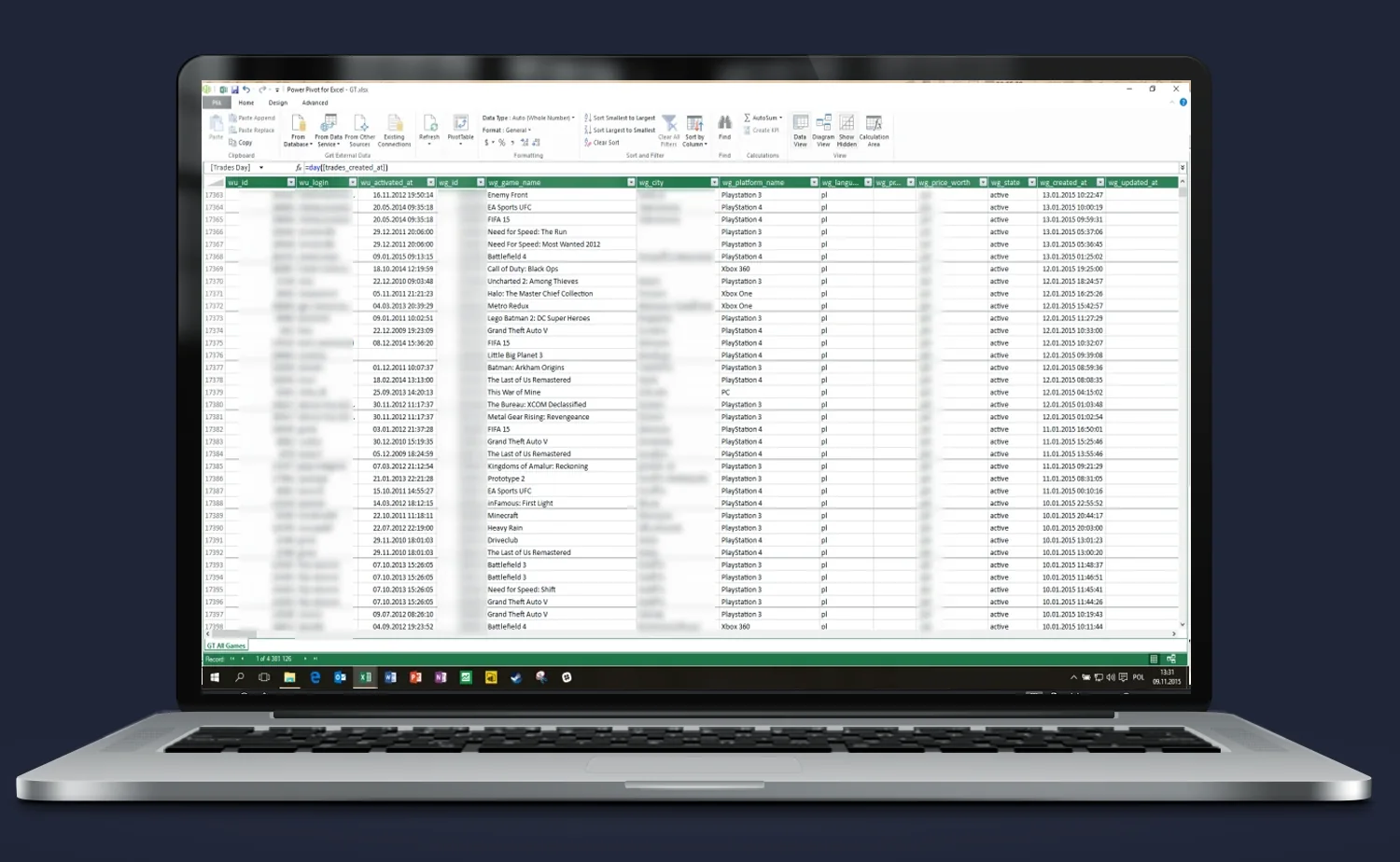
Creating a functional and dynamic analytical model required not only importing data, but also transforming and enriching it.
For this purpose, DAX formulas (Data Analysis Expressions) were used, which form the basis of Power Pivot in Excel.
What was done?
Advanced DAX formulas were applied to:
- calculate dynamic marketing and operational metrics (e.g. user age, account lifetime, time segment),
- create calculated fields helpful in segmentation (e.g. age categories, user type, platform assignment),
- filter data for advertising campaigns according to defined rules,
- define KPI indicators to evaluate the effectiveness of marketing activities (open rate, CTR, campaign reach per segment).
Result
Thanks to the use of DAX:
- the model became a tool not only for analysis, but also for creating campaign strategies,
- the end user could modify rules on an ongoing basis, without the need for IT support,
- any change in filters or input data automatically updated the entire analytical structure.
Why DAX?
- It allowed independence from data modifications in the database – transformations took place directly in the Excel model.
- It enabled the creation of flexible, dynamic segments without coding on the database side.
- It was the foundation for creating personalized reports and exports – ready for integration with advertising platforms.
User data segmentation
The created system enables instant segmentation of portal users according to selected criteria.
Thanks to the use of Excel slicers, the end user can create recipient lists for marketing campaigns without knowledge of SQL or pivot tables.
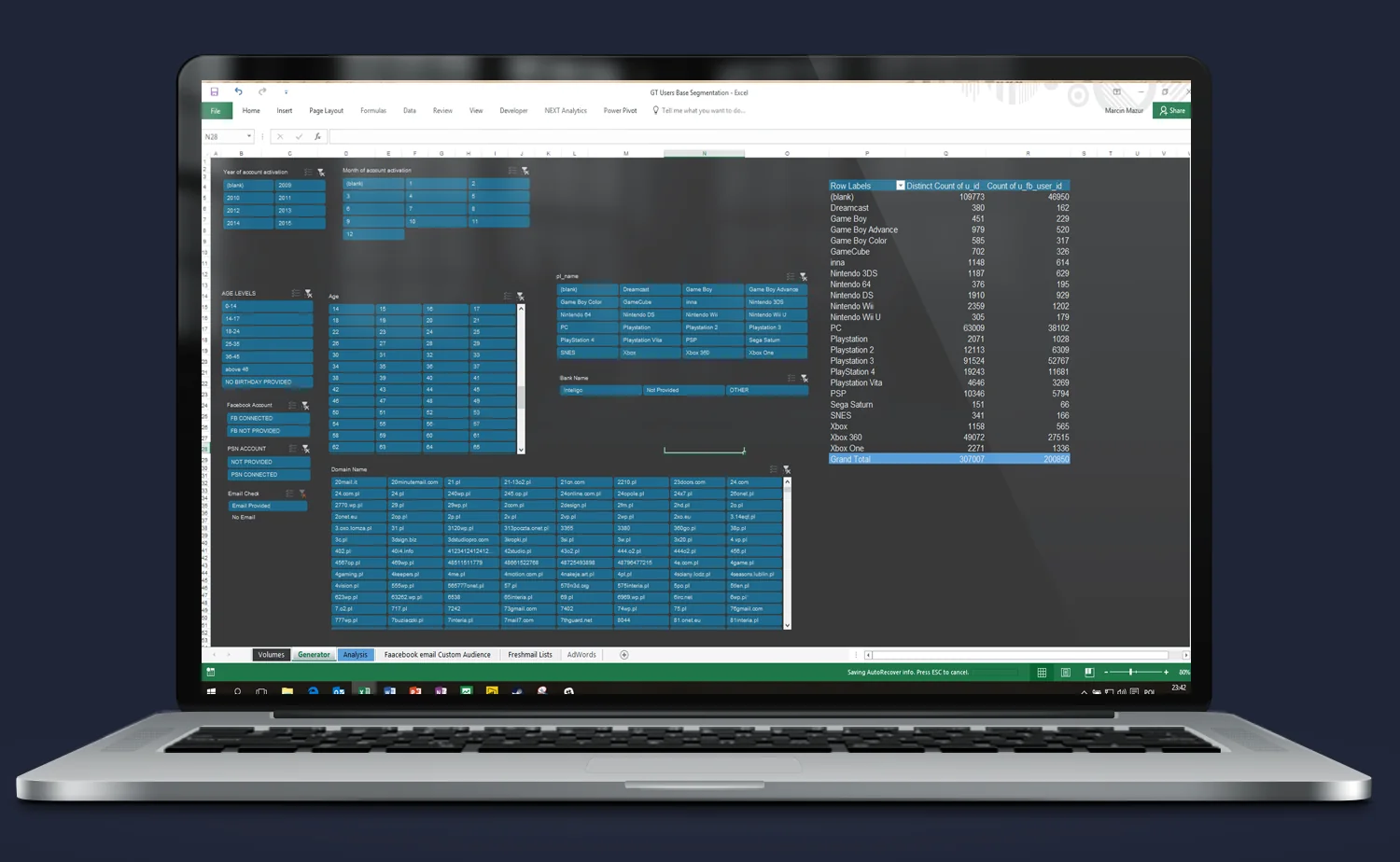
Available segmentation criteria:
- user age ranges,
- gaming platform (PlayStation, Xbox, PC),
- email domain (e.g. gmail.com, wp.pl),
- bank account marking
- locality marking,
- linking accounts with external services (Facebook, PSN, Xbox Live),
- year the account was created in the service.
Result
The user can prepare a perfectly tailored recipient base for the campaign assumptions in just a few seconds:
- mailing only to PS4 players aged 25–35,
- remarketing to users with an FB account who have not been active for 6 months,
- testing messages on segments based on age, registration source and activity.
This allows every campaign to be a perfect fit, which translates into higher CTR, lower advertising costs and better conversion.
Volume analysis and message planning
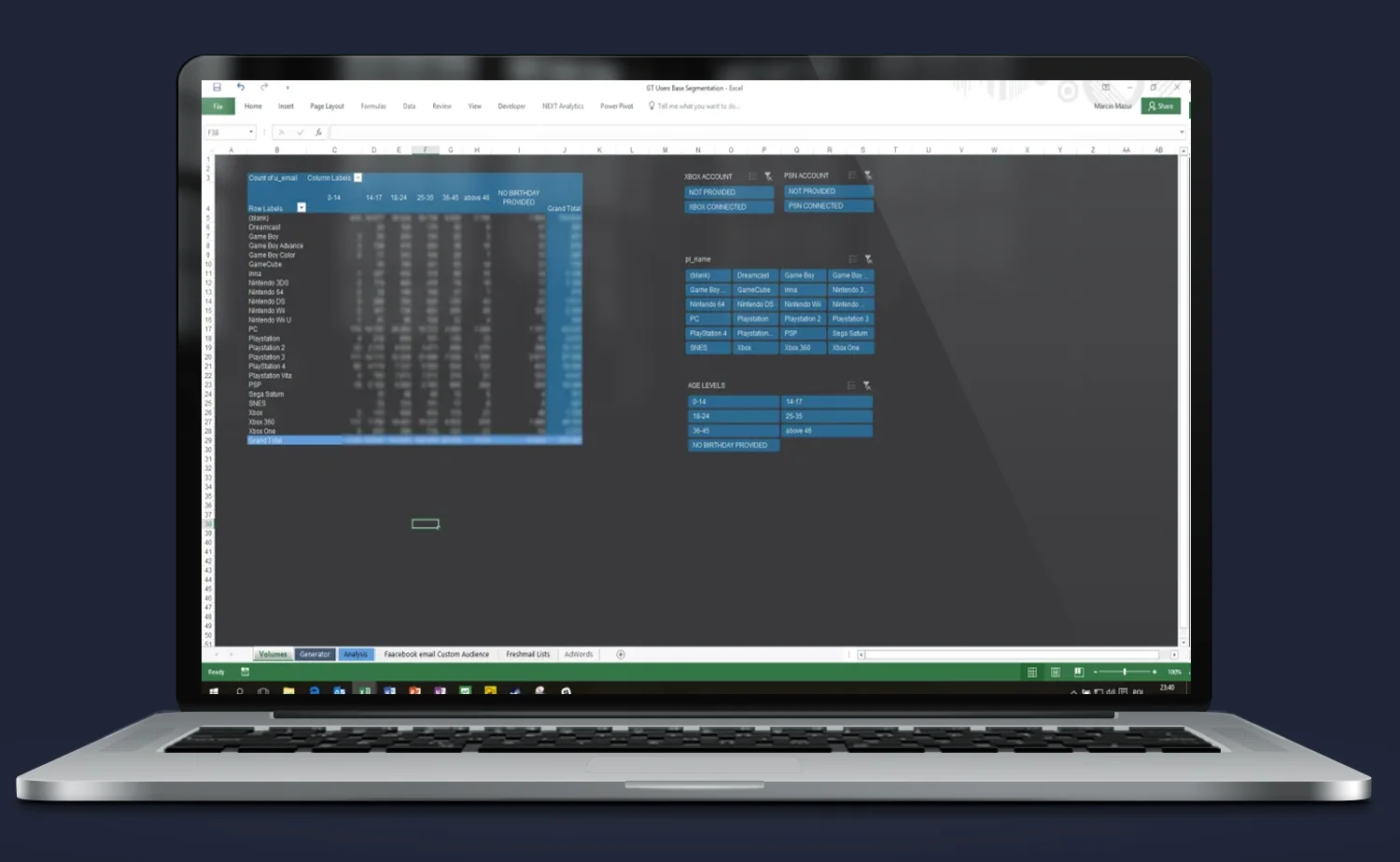
This view was designed with practical campaign planning in mind – it allows you to quickly estimate how many people are in a given segment and how much marketing material needs to be prepared.
Thanks to the use of dynamic filters (slicers), the user can instantly:
- determine the number of accounts in a given segment (e.g. women 25–34 on PS4),
- calculate the demand for unique advertising messages (e.g. how many banner versions, how many emails),
- prepare input data for Google Ads, Facebook Ads, Mailchimp – with ready numbers and criteria.
Example applications:
- estimation of campaign cost depending on the number of creatives and audience groups,
- analysis of which groups have the greatest reach potential,
- comparison of the effectiveness of different segments after the campaign thanks to integration with results.
Result
Instead of choosing campaign materials “by eye” – you can precisely plan communication, costs and required resources. This tool combines BI with operational marketing.
Do you need someone who instantly understands the problem — and knows what to do with it?
Most companies have data. What’s missing is the idea of what to do with it — and someone who will actually execute it. Origami Effect provides both.