

Before you sign the contracts — you should know what you’re investing in.
A new real estate investment raises dozens of questions with no ready answers.
- Will this property perform better as STR, a student dormitory, or a hotel?
- Which welcome pack maximizes RevPAR for this specific guest profile?
- How does changing the business model affect bank covenants at this level of financing?
- What does the cash flow look like if construction is delayed by three months?
Most investors answer these questions based on intuition and a single Excel model that calculates only one scenario at a time. Origami Effect builds a system that calculates all scenarios simultaneously — and keeps costs under control once the decision has been made.
Two stages. Four tools. One ecosystem.
A real estate investment has two critical moments — before and during execution. Before: which decision is the right one. During: is the execution going according to plan. Origami Effect supports both stages within a single data approach.
Stage one — investment decision
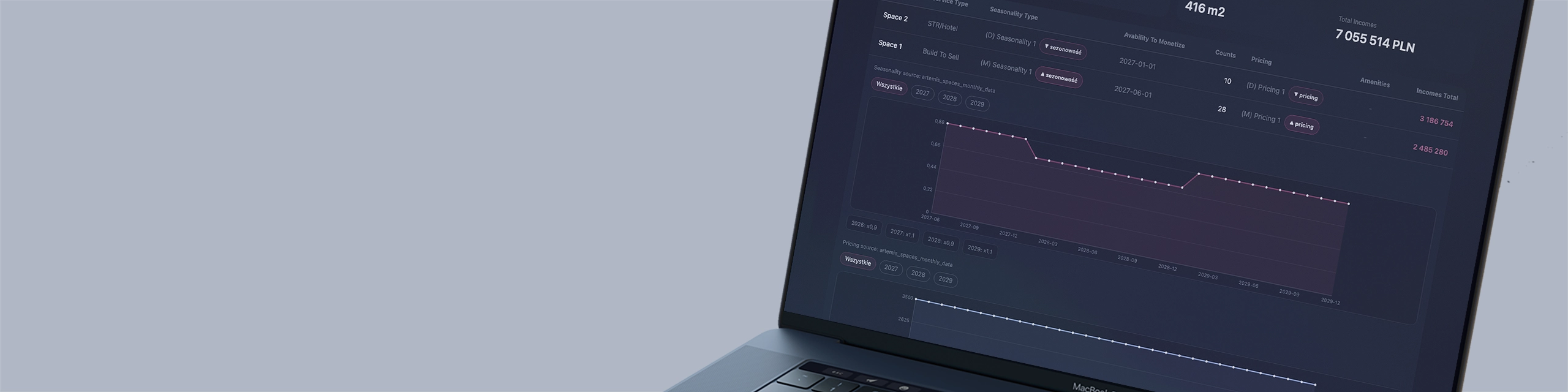
Artemis — dozens of scenarios before a single decision is made
Artemis is an MFO-class financial model built for real estate. It does not accept a single set of assumptions — it simulates the full physics of different business models for the same property and compares them side by side.
Business models within one model
The same 80 rooms. Four completely different strategies — and four completely different financial pictures.
- STR (Short Term Rental) — variable revenue dependent on occupancy and ADR, high operational opex and sensitivity to seasonality.
- Student dormitory — more stable revenue, but different demand constraints and rental cycles.
- Hotel with welcome pack — results depend on package structure, which affects RevPAR, margin and cash flow.
- Hybrid / mixed-use model — part STR, part monthly rental and additional services, with a different risk structure.
- Build To Sell — sales model with negative cash flow during execution and high sensitivity to sales pace.
CapEx and OpEx in every variant
Each business model carries a different capex and opex profile. Artemis models CapEx separately for each variant and shows how differences in expenditure translate into IRR, payback period and bank covenants at the same level of financing.
OpEx is modeled with precision down to cost categories: operations, utilities, marketing, management, service. Changing one variable immediately recalculates the entire model.
Risk scenarios
For each business model, Artemis generates risk variants: what happens when occupancy drops by 20%, construction costs rise by 15%, or the interest rate changes by 100 basis points.
The investor sees not only which model is best in the base scenario, but also which one is most resilient when things go wrong.
Archiving and comparability through Clio
All calculated scenarios are sent to Clio, where they are archived with date, author and full assumptions. Comparing STR vs dormitory vs hotel at the balance sheet, P&L and cash flow level is available in a single report.
In the classic approach, it is difficult to reconstruct why assumptions were changed. In the Origami Effect ecosystem, every change has a history and a decision rationale.
Unlimited scale — one ecosystem for the entire portfolio
Each property has its own dedicated Artemis model, but Clio aggregates data from all properties in one central database. Ten, twenty, a hundred properties — the architecture remains the same.
Echo works similarly: it supports a single investment or an entire portfolio, always with costs allocated to the correct property, stage and category.
Stage two — investment execution
Echo — real-time construction cost supervision
Once construction begins, the key question arises: how to control costs when invoices come from dozens of contractors and subcontractors, at different times and in different categories?
Echo records every construction invoice the moment it arrives and automatically assigns it to the correct stage, budget category and cost estimate item. No retyping and no waiting for monthly summaries.
Data from Echo is instantly compared with the budget from Artemis
At any moment, the investor sees: how much has been spent to date, how much remains in each category, where variances have appeared, and what impact this has on the total project capex.
What Echo monitors on the construction site
- Construction works divided into stages and categories: shell & core, installations, fit-out, site development.
- Suppliers and subcontractors: who issued how much, what was paid and what is awaiting payment.
- Variations and additional works: separately from the original cost estimate.
- Currency exposure on foreign purchases and the impact of exchange rates on capex.
Construction alert system via Clio
Clio monitors data from Echo according to defined rules and reacts when something critical happens: exceeding the budget threshold, stage delay, unassigned invoice, overdue payment. The alert goes straight to the investor.
Budget execution report
Clio automatically generates budget execution reports: weekly for the investor and monthly for the financing bank. Capex performance vs plan, variance history and final construction cost forecast are ready without manual work.
Everyone focuses on their own area.
The system assembles the whole automatically. The right information reaches the right person at the right time — whether it’s an alert for the construction manager, a cash flow report for the bank, or a scenario comparison for the investor before refinancing.
No off-the-shelf tool understands simultaneously the physics of the STR model, the logic of the construction budget and the bank’s reporting requirements. This is exactly why this area requires an architecture tailored to investment decisions.
For whom
- Individual investors and family offices facing a decision on their first or next investment property.
- Developers and project companies carrying out investments with external financing that require construction cost reporting in a format accepted by the bank.
- Owners of existing properties considering a change in business model, e.g. conversion of an office building into a dormitory or classic rental into STR.
- Real estate funds analyzing multiple properties simultaneously and requiring scenario comparability between projects.
Full control over your investment
Origami Effect builds a system that gives the investor control over scenarios, construction costs and bank reporting in one coherent decision-making view.